
HMAC
SHA-256
Signature Verification
Each webhook includes a secret for HMAC signature verification. Validate requests are authentic.
Uptime monitors, payment alerts, form submissions, CRM events - your AI employees receive webhooks and react automatically. No code required.
Set up webhooks in seconds. No coding required.
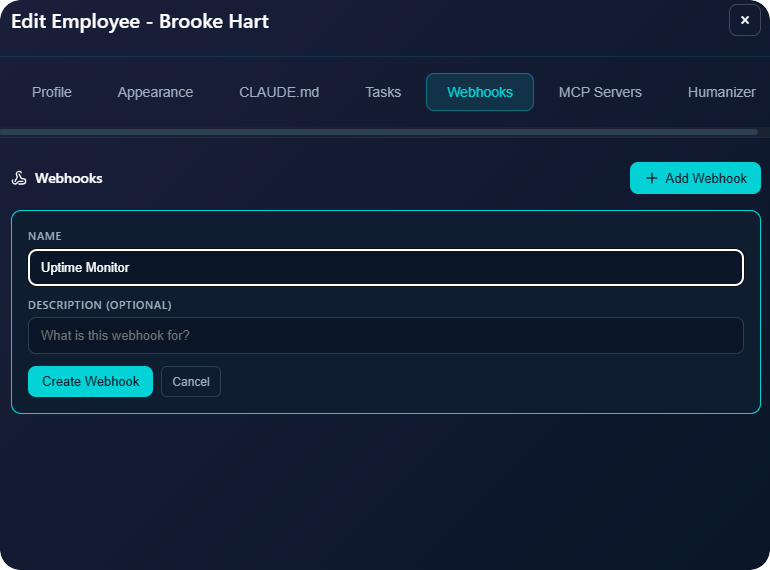
Open your employee settings, go to Webhooks tab, and click "Add Webhook". Give it a name like "Uptime Monitor" or "Stripe Payments".
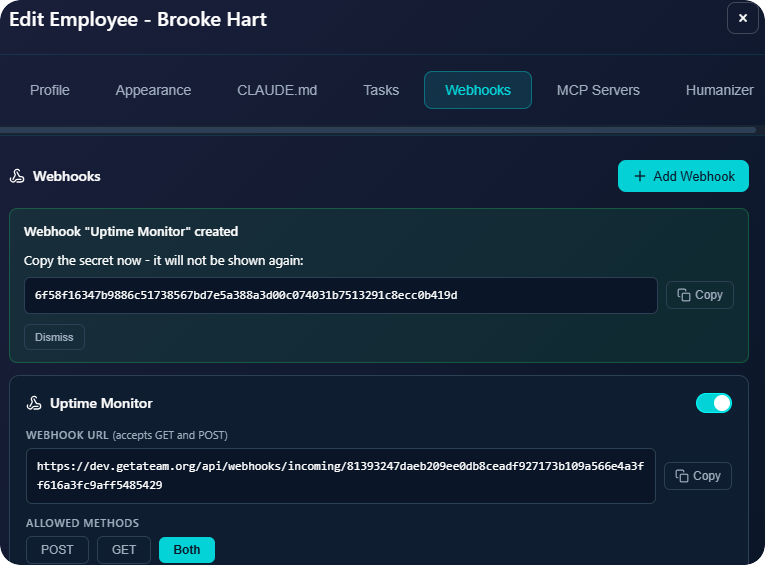
Copy the unique webhook URL and secret. Paste the URL in your external service (Stripe, UptimeRobot, Zapier, etc.) as the destination.
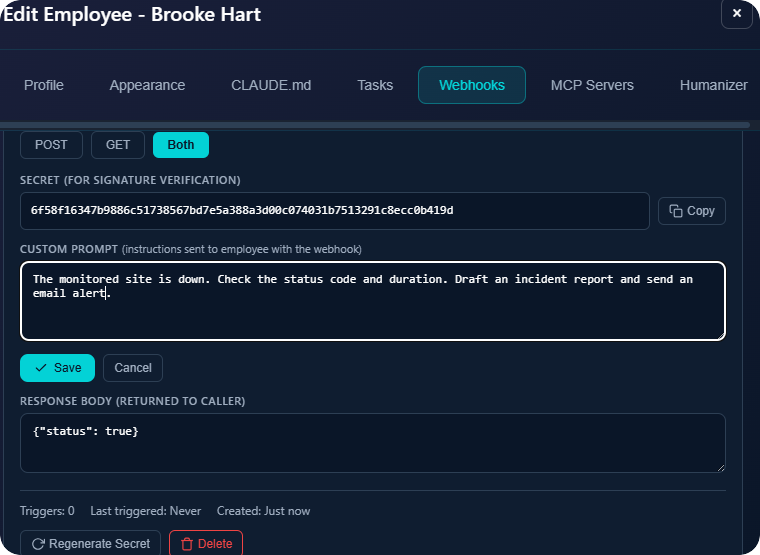
Add a custom prompt to tell your employee what to do when this webhook fires. "Check the status and send an incident report by email."
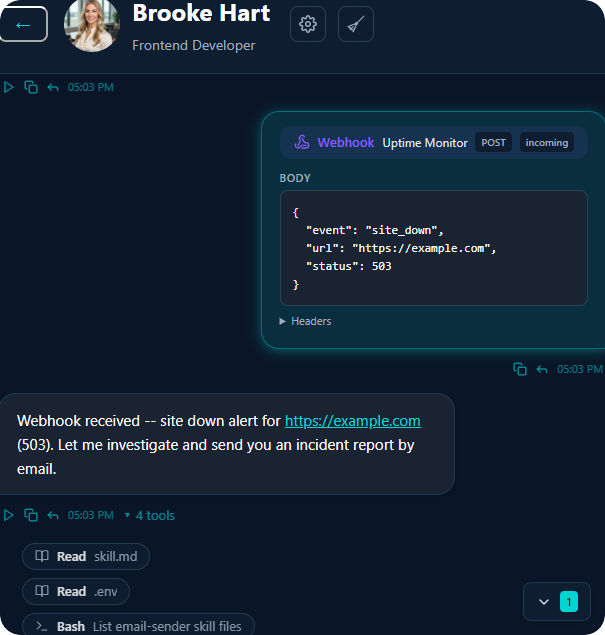
When the webhook fires, it appears in chat with the full payload. Your employee reads it, understands the context, and takes action automatically.
Secure, flexible, production-ready.
Each webhook includes a secret for HMAC signature verification. Validate requests are authentic.
Tell your employee exactly what to do when a webhook arrives. Different prompts for different webhooks.
Accept GET, POST, or both per webhook. Compatible with any service that sends HTTP requests.
Create as many webhooks as you need per employee. Track triggers, last fired, and manage easily.
Real workflows, real results.
Site down? Employee investigates and notifies the team.
Stripe webhook triggers CRM update and thank you email.
Typeform submits, employee qualifies and responds.
Cron triggers daily reports or weekly summaries.
Build fails? Employee analyzes logs and suggests fixes.
HubSpot deal changes, employee sends follow-up.
Zendesk ticket created, employee drafts first response.
New Shopify order, employee handles fulfillment tasks.
Connect any service. Your AI employees handle the rest.