Geta.Team Geta.Team
01 / 07

You choose what it can observe.

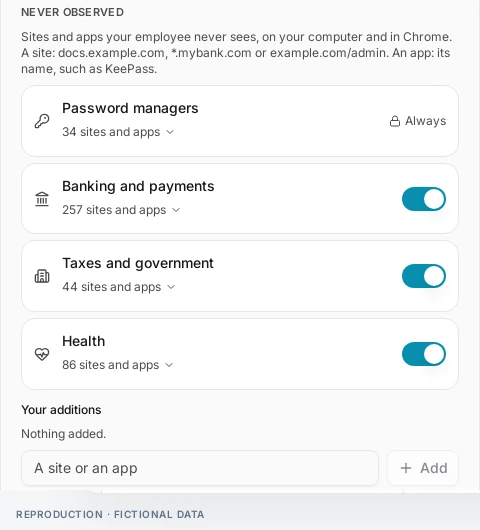
Turn on Learning mode for one employee, connect the browser extension and the desktop app, and exclude what it must never see: banks, health, password managers, or any site you list.

The panel as it looks before an observation starts.
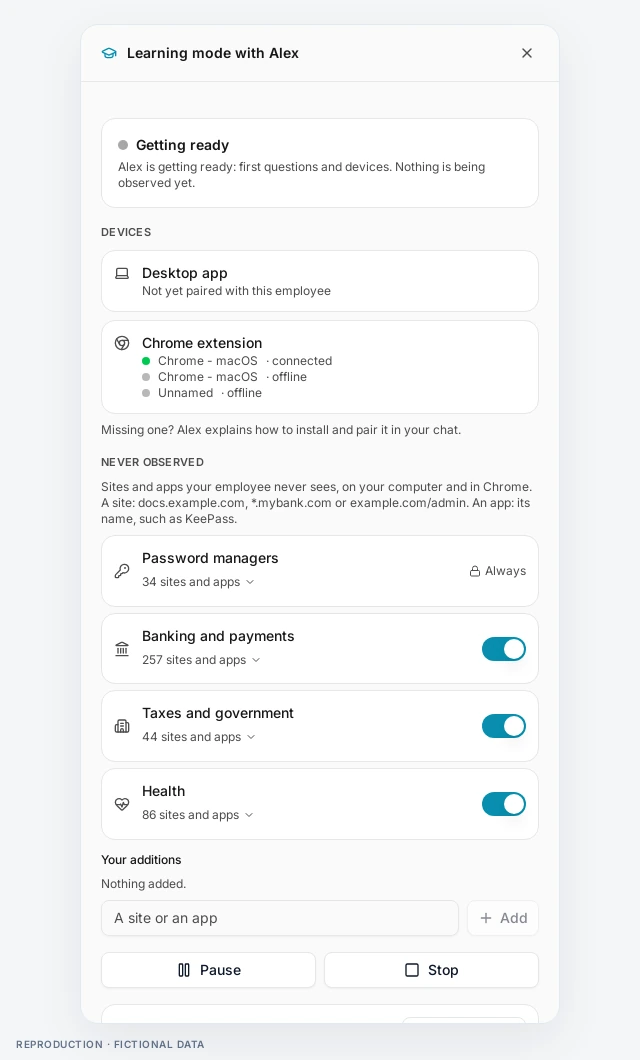
The Learning mode panel: connected browser, excluded categories and controls
02 / 07

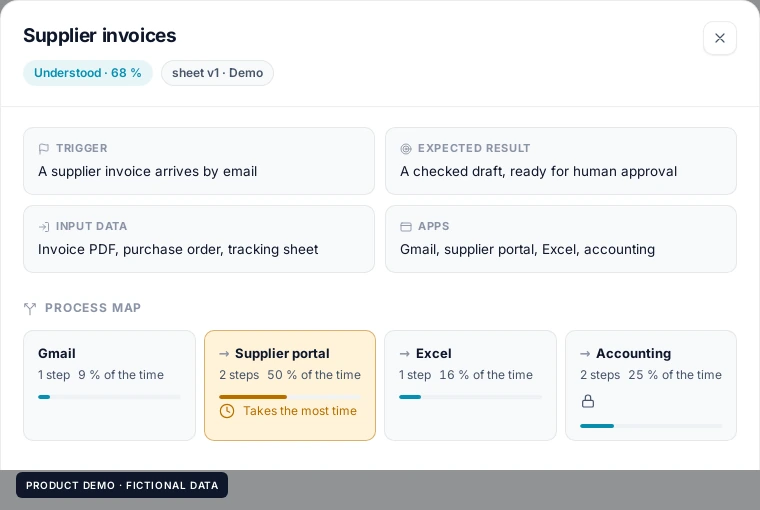
Across your apps, the process takes shape.

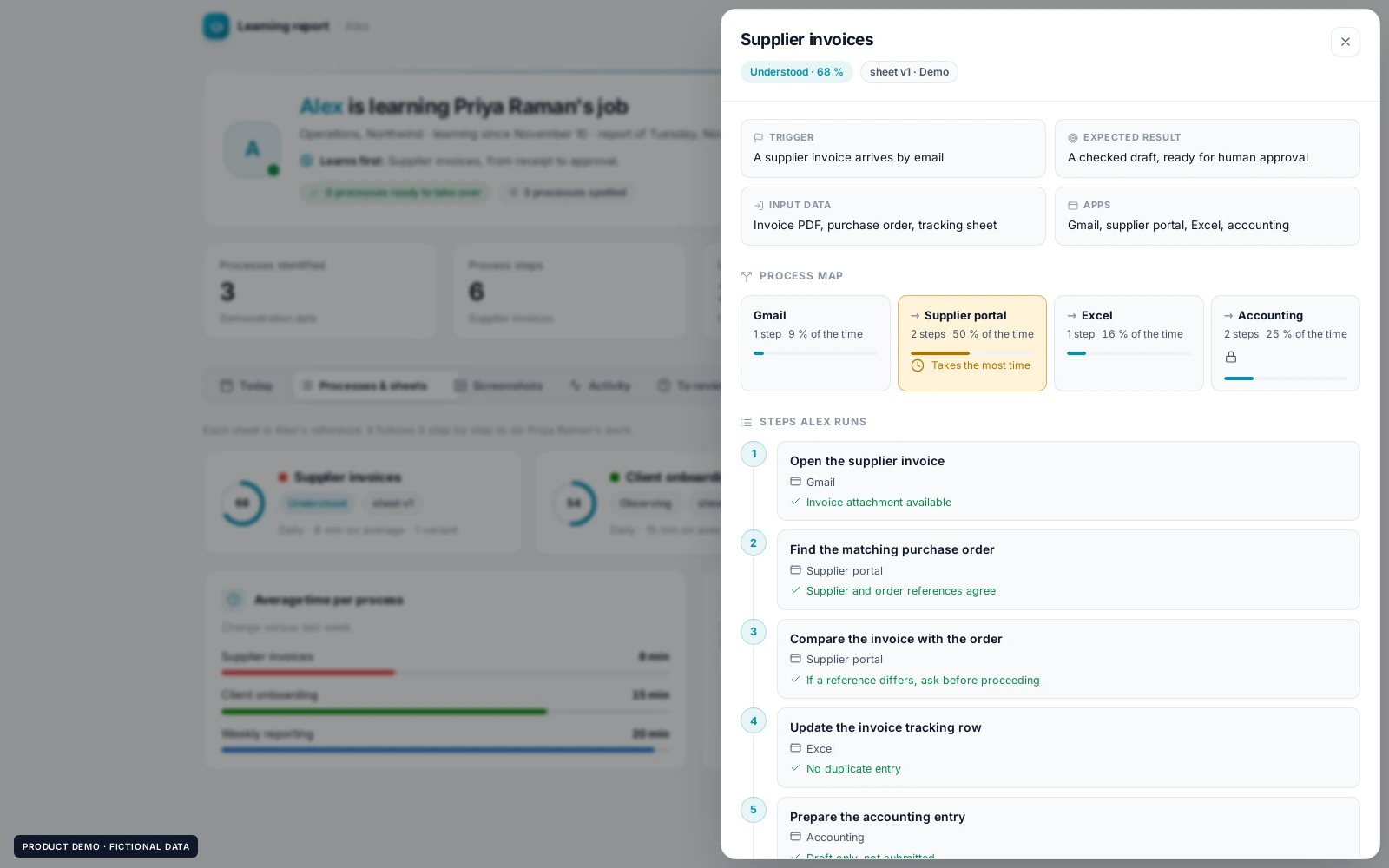
From Gmail to the supplier portal, Excel and accounting, it maps the apps a task goes through and where the time goes. The step that takes the longest stands out.

Demo values for illustration.

The process map of Supplier invoices: Gmail, supplier portal, Excel and accounting, with the share of time in each
03 / 07

Every step. Every check.

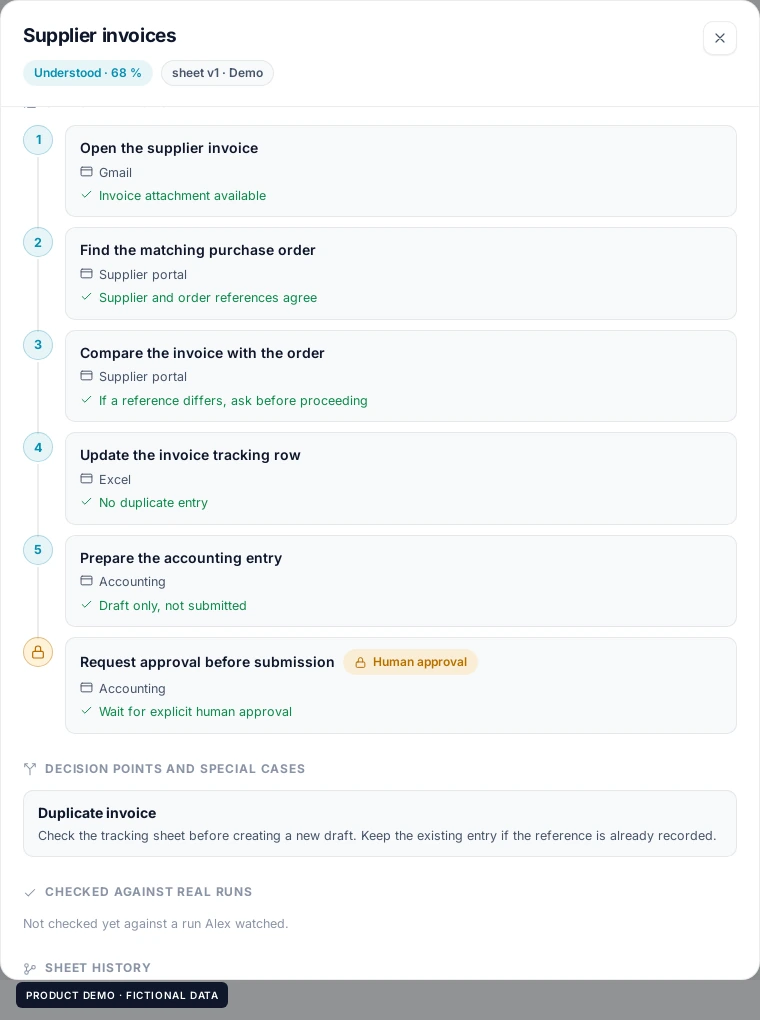
Each process becomes a sheet your AI employee can follow: what triggers it, what it needs, each step with its check, and the result expected at the end.

The process sheet: numbered steps with the app used and the check of each step
04 / 07

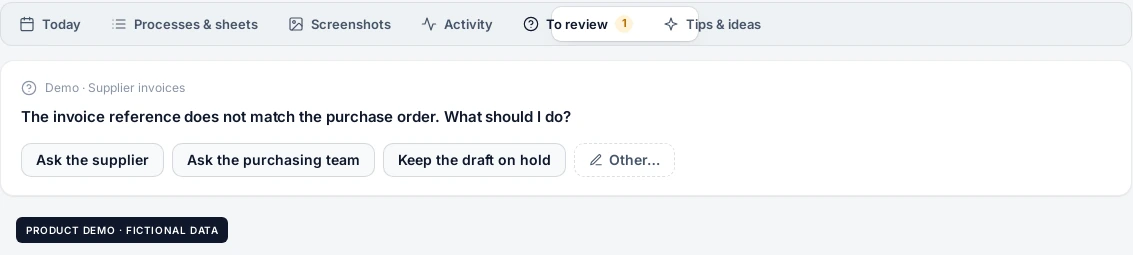
An exception? It asks at the right moment.

When a case does not fit, an invoice that does not match its order for example, it does not guess. It asks you in the report, with suggested answers or your own.

A question from the employee in the report: an invoice that does not match its order, with suggested answers
05 / 07

Your answer becomes a process rule.

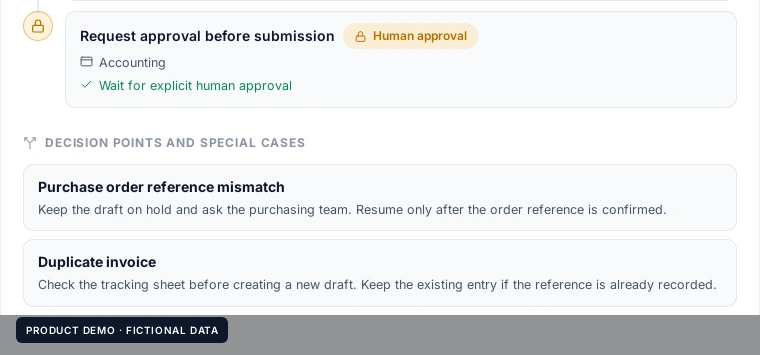
Once you answer, the exception is written into the sheet as a rule: hold the draft, ask purchasing, resume when the reference is confirmed. Next time, it knows.

Example after clarification.

Decision points and special cases written into the sheet, after the question was answered
06 / 07

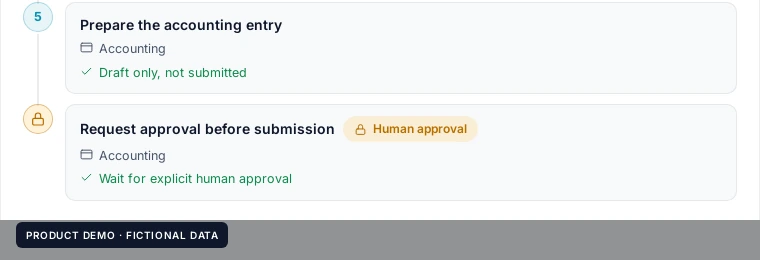
Sensitive steps stay under your control.

Steps that commit money or reach outside the company carry a lock. Your AI employee prepares the work and waits for an explicit human approval.

A process step locked behind a human approval
07 / 07

See the processes and what remains to be learned.

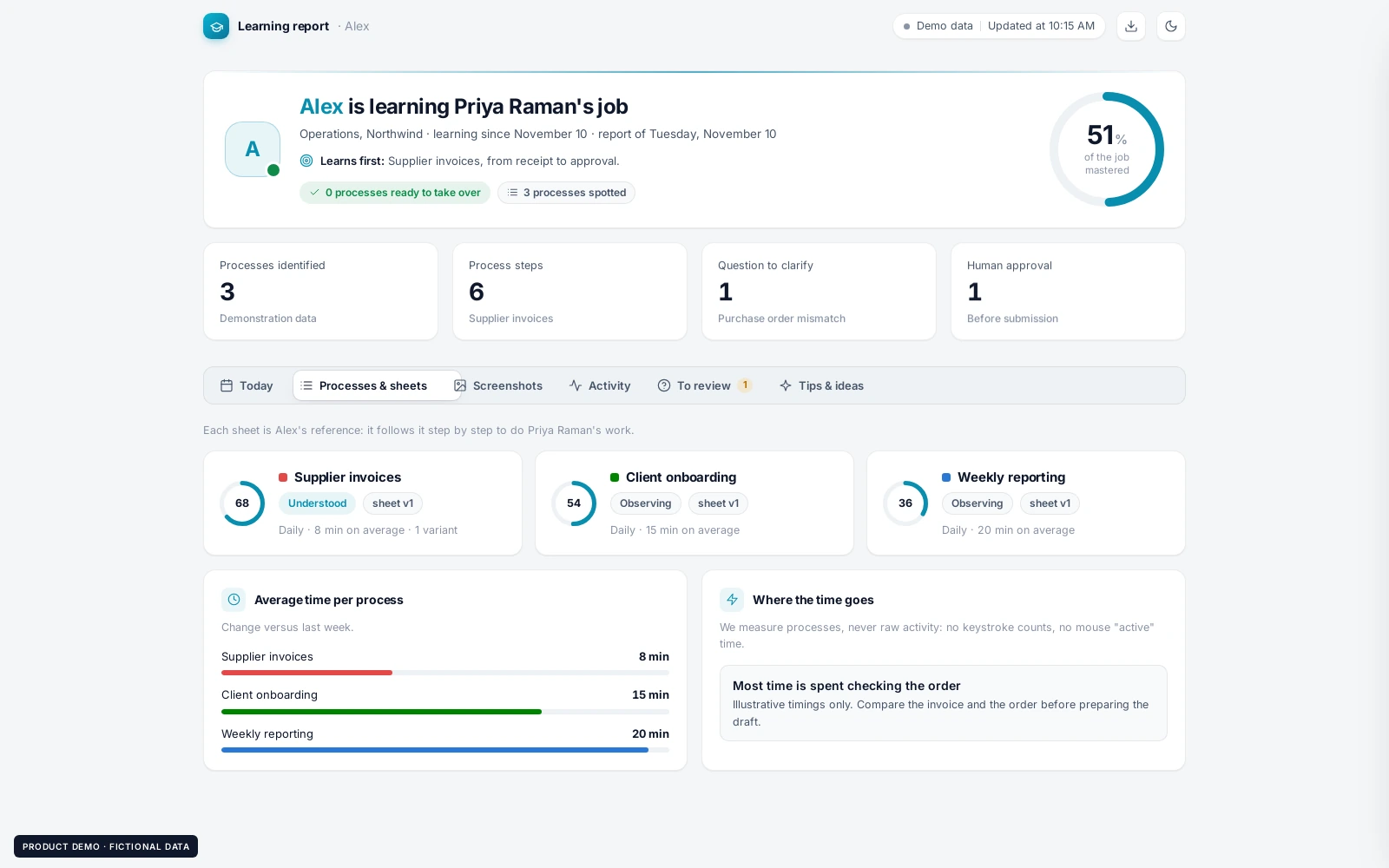
One report per employee shows every process spotted, how well each one is understood, and the questions still open. Download it as PDF or Markdown.

The overview of the learning report with the processes identified
Exception
The Learning mode panel: connected browser, excluded categories and controls
The process map of Supplier invoices: Gmail, supplier portal, Excel and accounting, with the share of time in each
The process sheet: numbered steps with the app used and the check of each step
A question from the employee in the report: an invoice that does not match its order, with suggested answers
Decision points and special cases written into the sheet, after the question was answered
A process step locked behind a human approval
The overview of the learning report with the processes identified
1 / 7 · You choose what it can observe.