
01 / 06
One table, shared by people and AI.
Your team edits a cell, your AI employee adds the lead it found in this morning's email. Typed columns for text, choices, people, dates and numbers keep the data clean, whoever writes it.
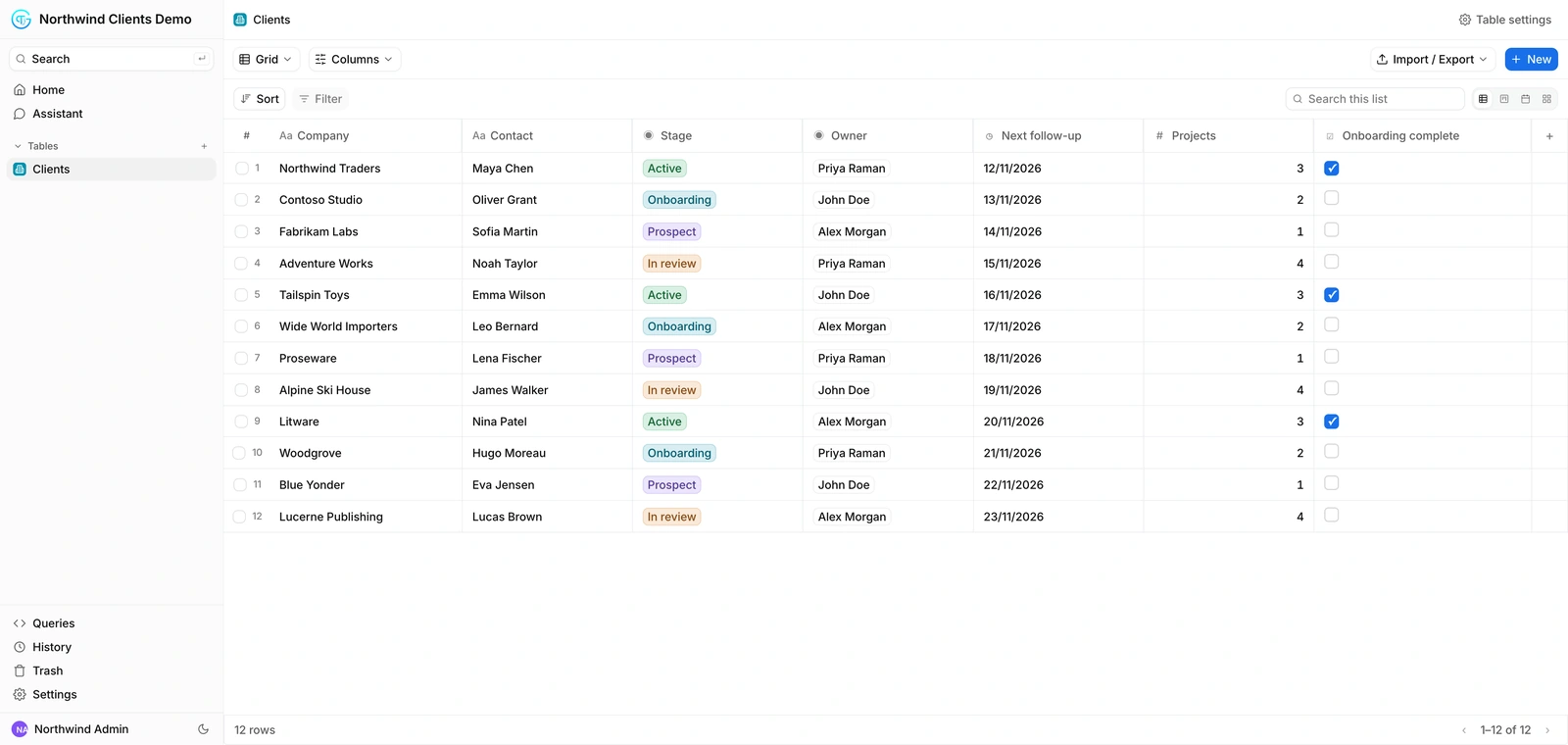
A CRM, an inventory, a recruiting pipeline: your people work in it like in any business tool, your AI employees read and update it as they work. And when your needs change, you just ask. A new column, a new stage, a new view: it evolves with you.
Business software makes you adapt to it. This one adapts to you: ask for any change, and your AI employee makes it.
Your team edits a cell, your AI employee adds the lead it found in this morning's email. Typed columns for text, choices, people, dates and numbers keep the data clean, whoever writes it.
Ask in plain words, from the Assistant tab of the database or from your employee's chat: add a column, a stage, a view, a whole table. Your AI employee makes the change and tells you when it is done.
A real request, sent in the product.
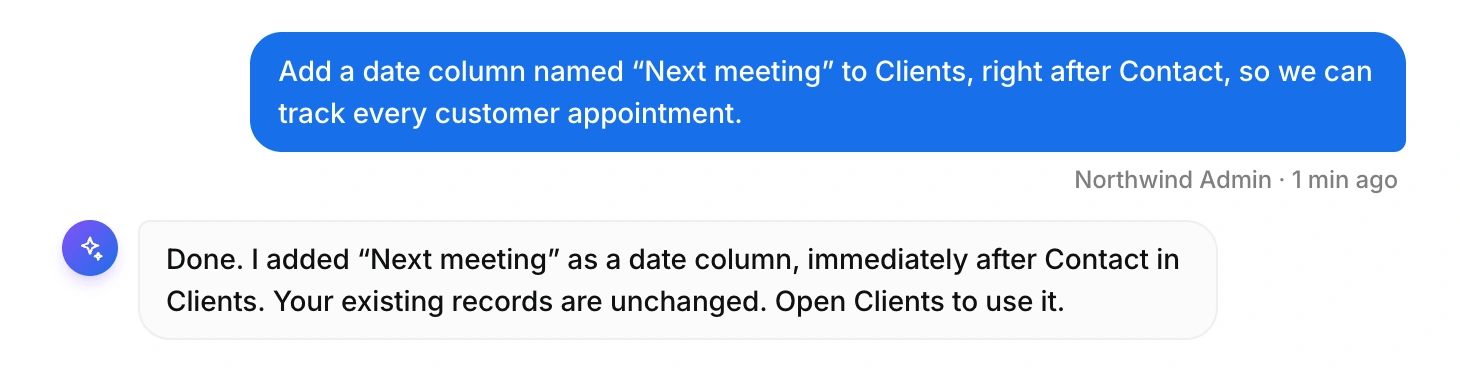
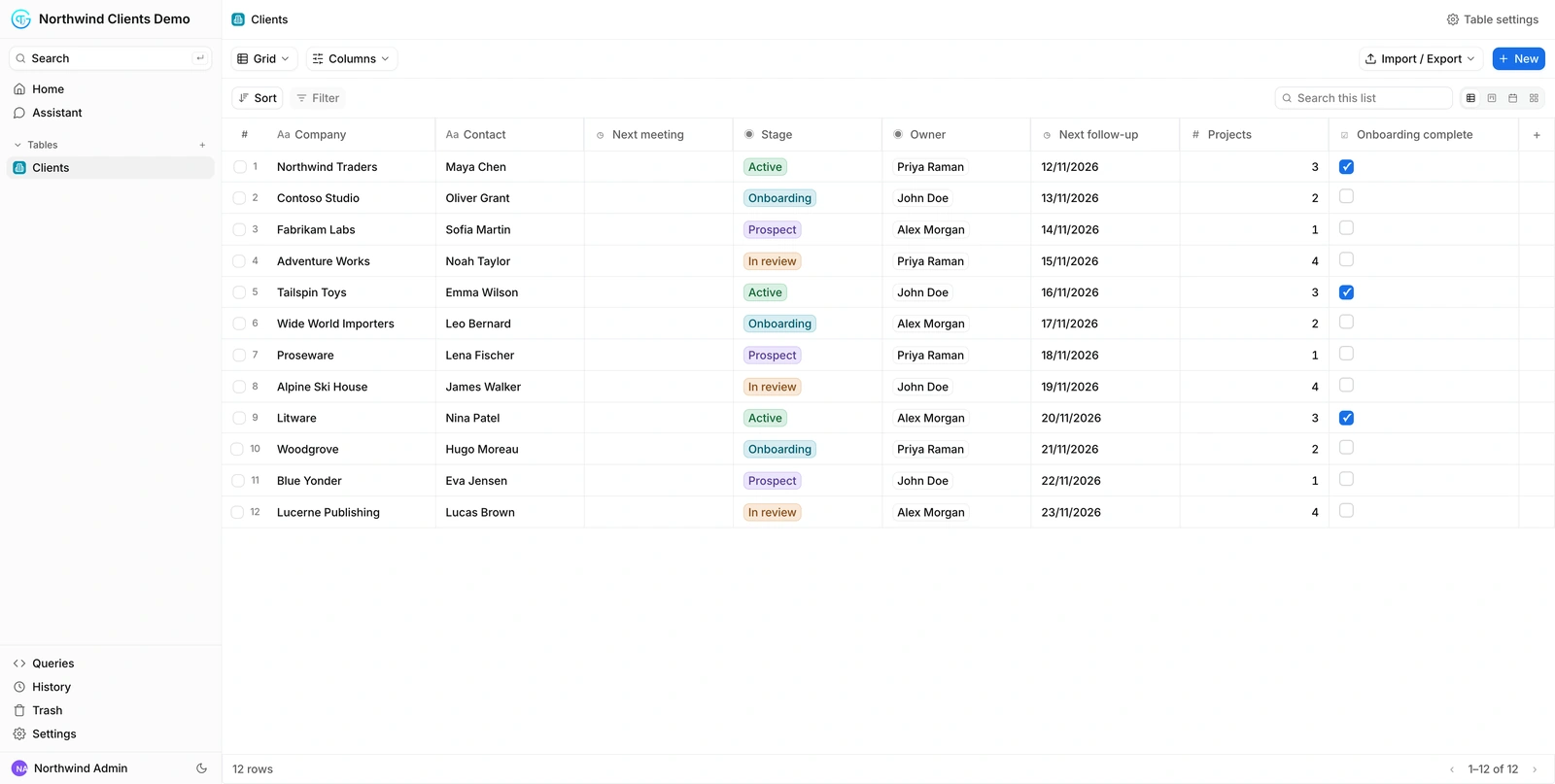
The new Next meeting column is there, right after Contact, with every existing record kept. No developer, no ticket, no new tool: the database follows the way you work.
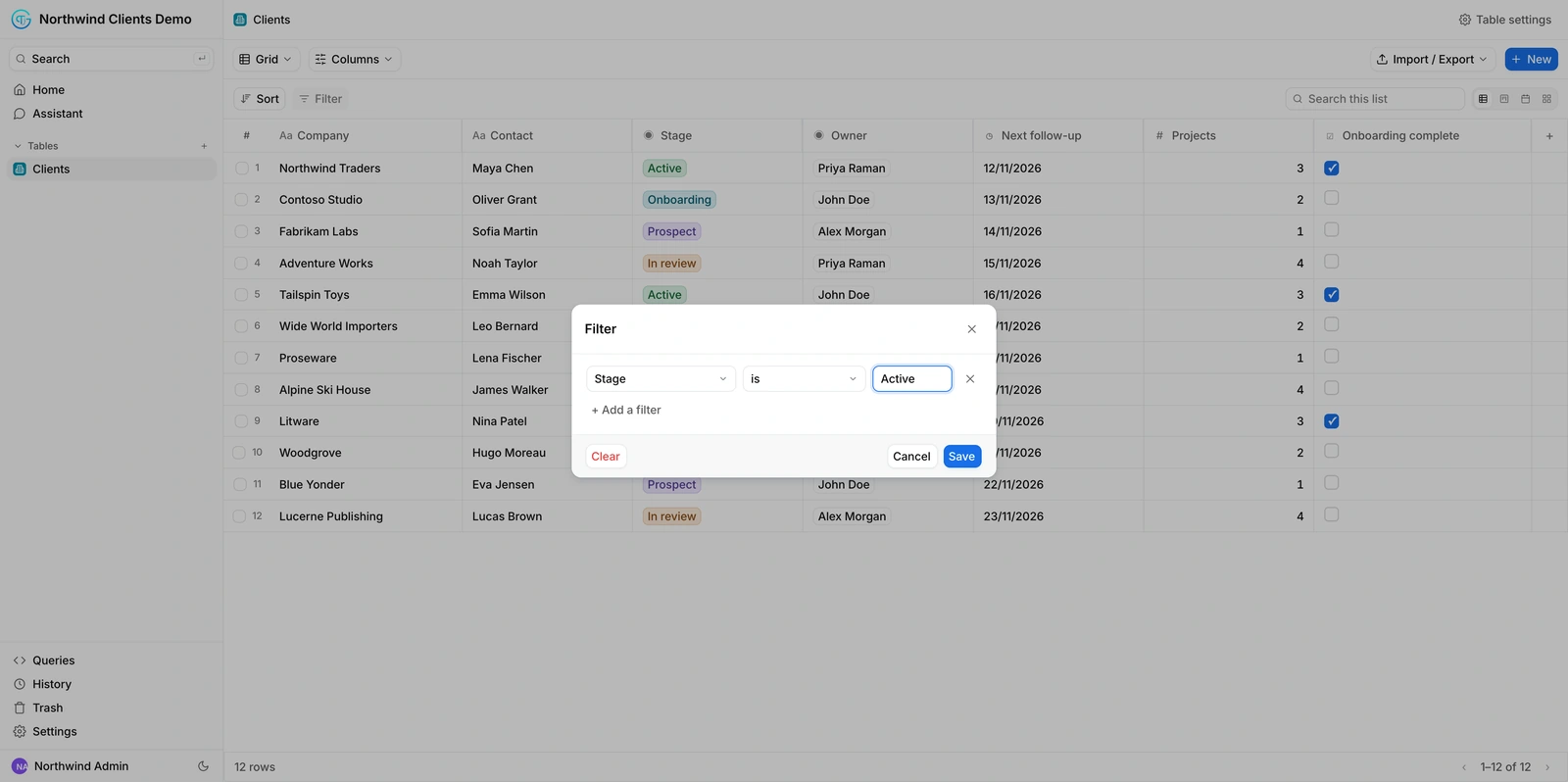
Sort, filter and search like in any business tool. Here, only the active clients, in two clicks.
Switch the Clients table to a Kanban grouped by stage. Same records, another way to see the pipeline.
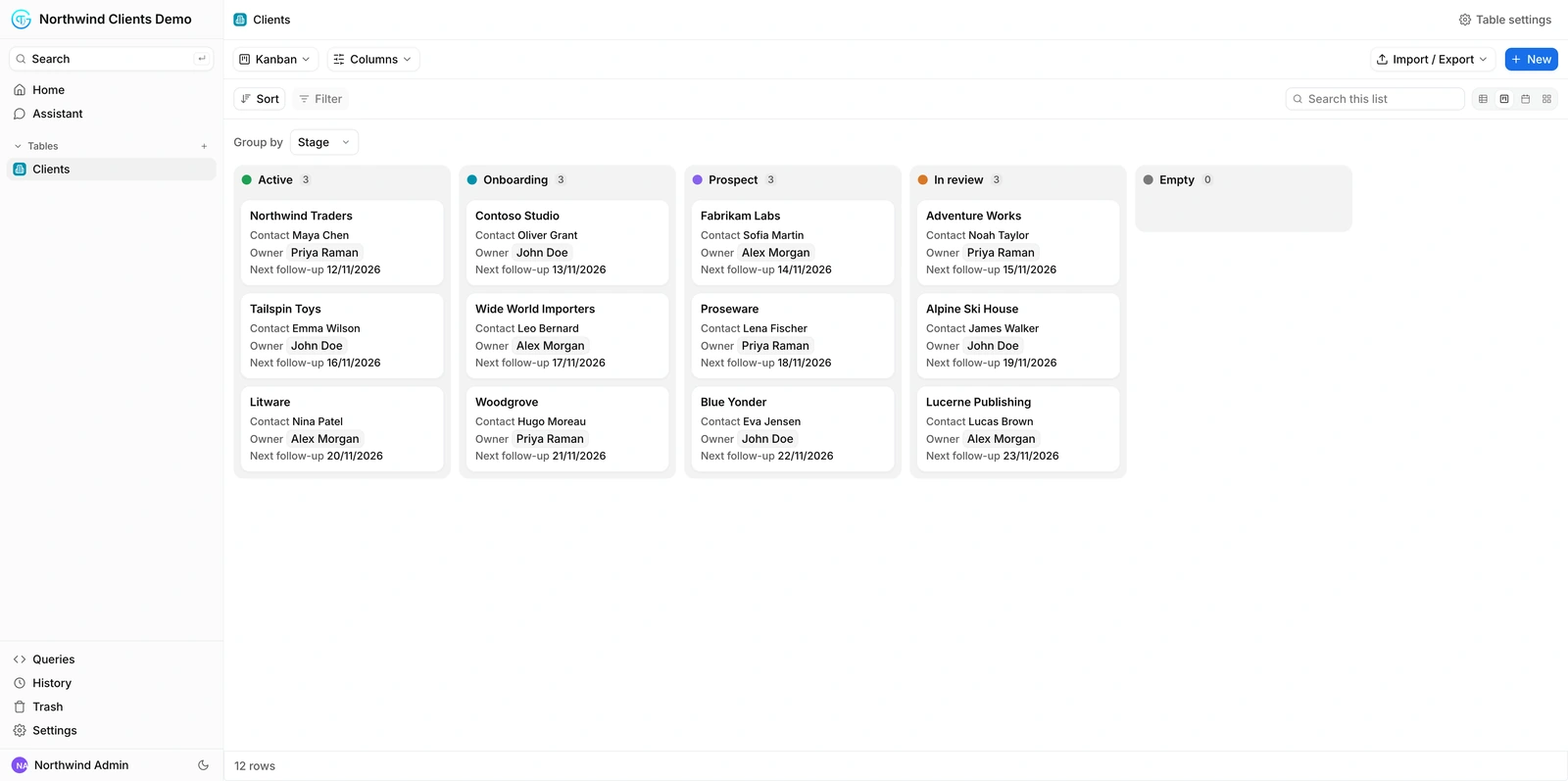
Invite a colleague or a partner with a role: read, add, edit or manage. Each person only sees the tables you choose.
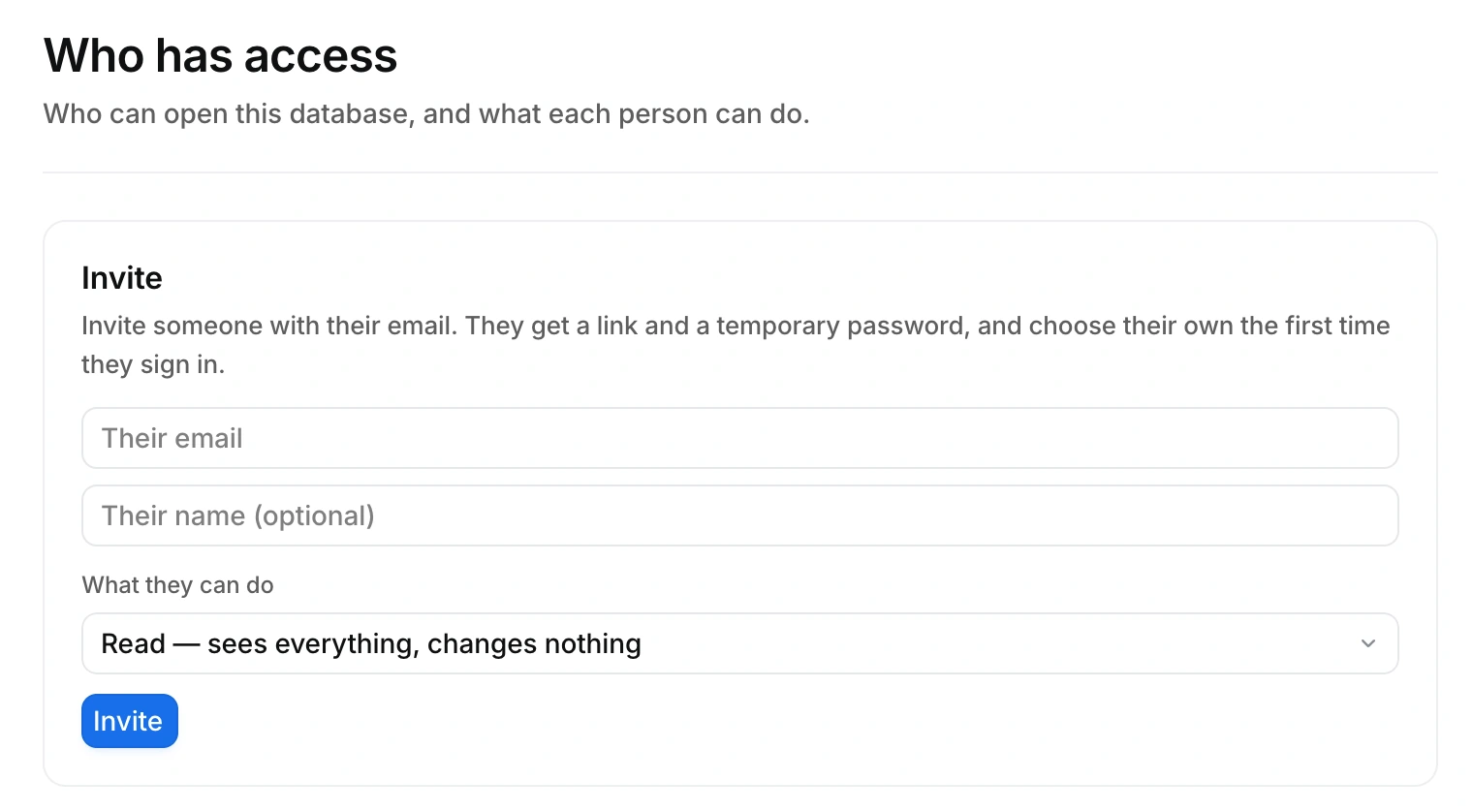
Your employee works on the data, and you keep the full picture.
Let your AI employee build the database and keep it up to date.