Build your site in the Studio. Watch it happen.
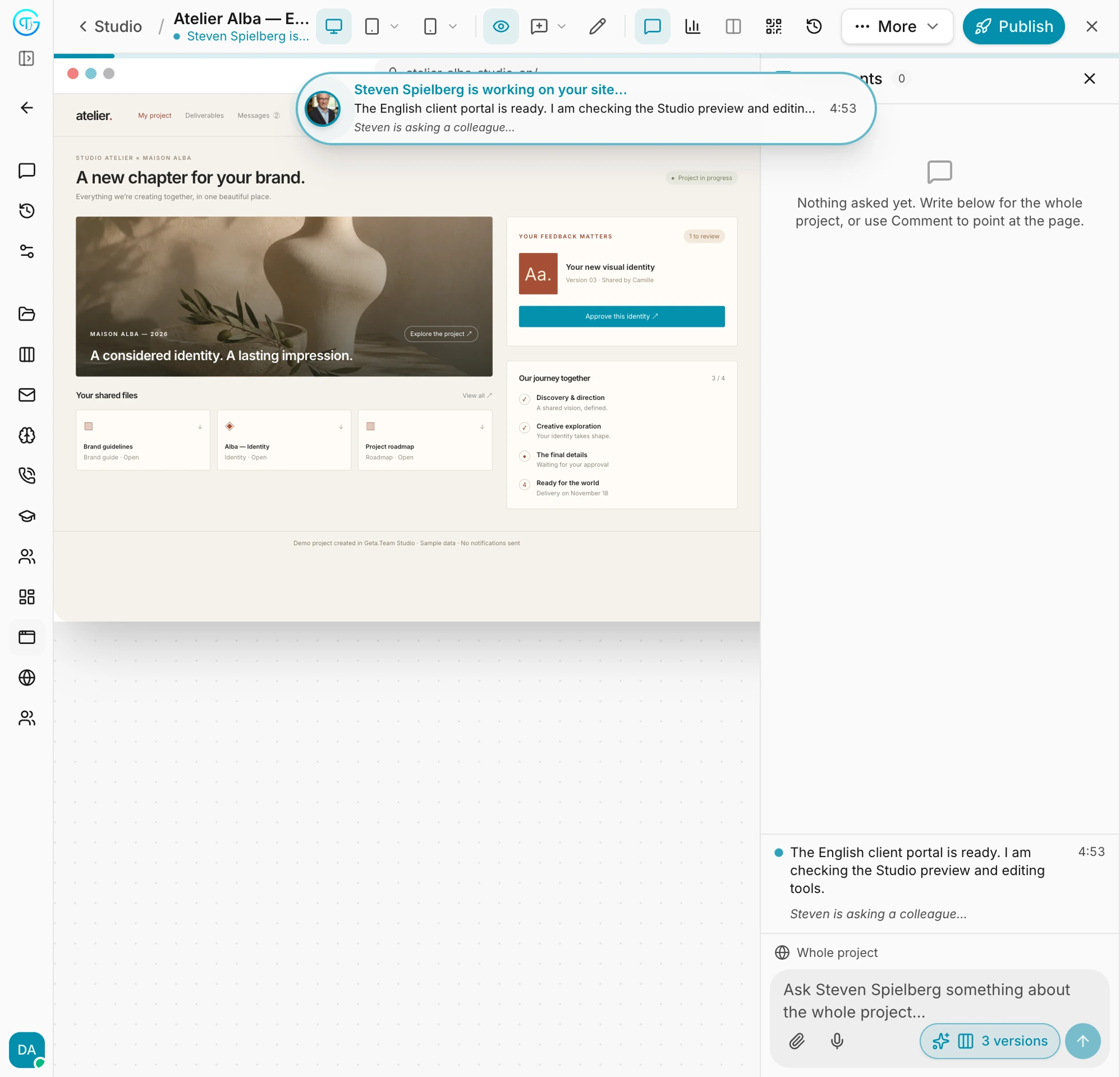
Your AI employee builds your website or web app in the Studio, right next to the chat. You watch each change appear, point at anything to fix it, and publish when it is ready.
Not a slide. Not a mockup. A real, working site you shape together and put online.
You see it. You shape it. You ship it.
On a computer, the chat's side panel shows your draft live. Every change your employee makes appears at once, so you are never guessing.
A live preview
Your site builds itself next to the chat. Each file your employee writes shows on the page the moment it is written.
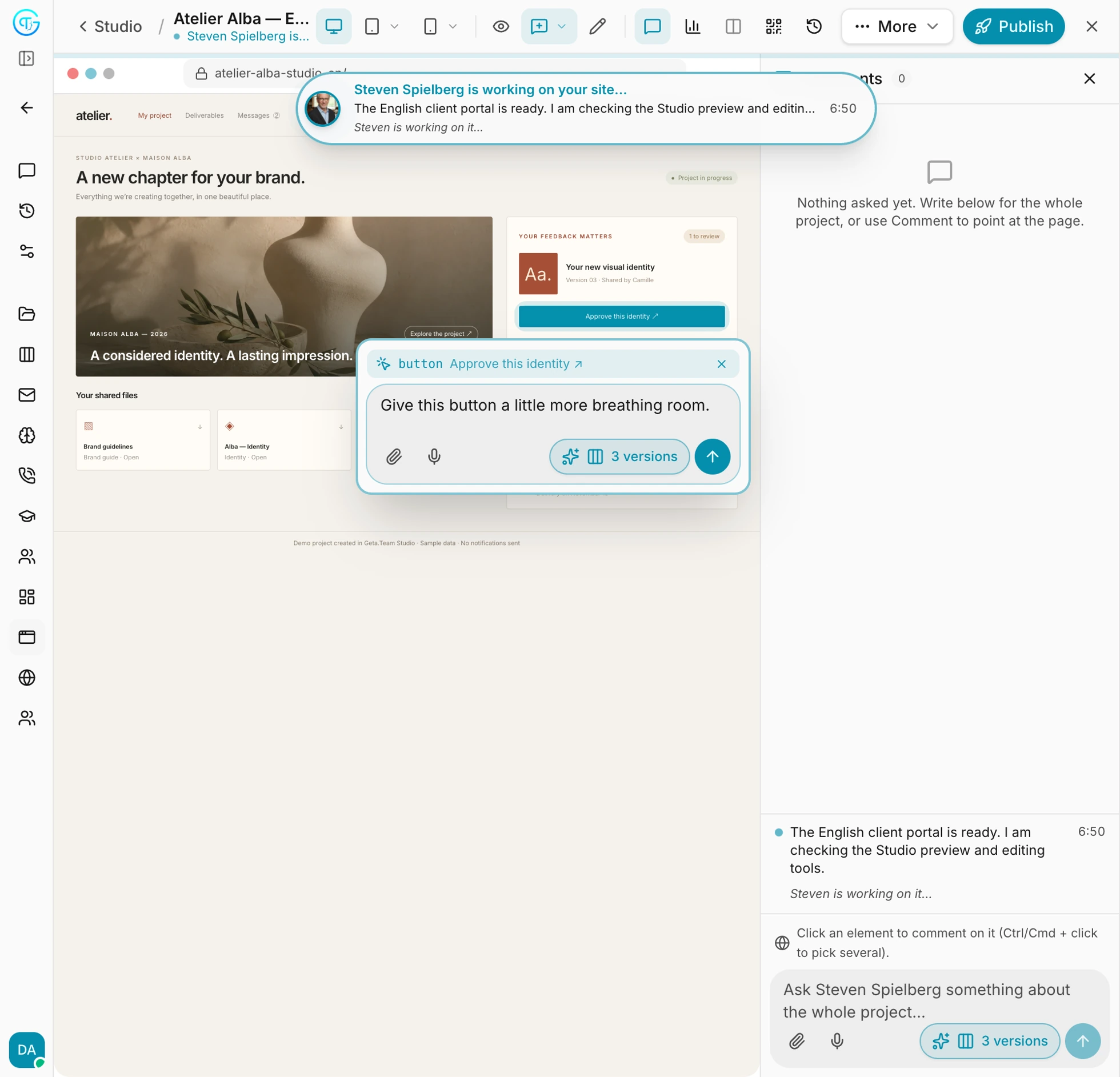
Point and comment
Click any element, or draw a box over part of the page, and say what should change. Your employee gets the exact element and a picture of what you see, and fixes it.
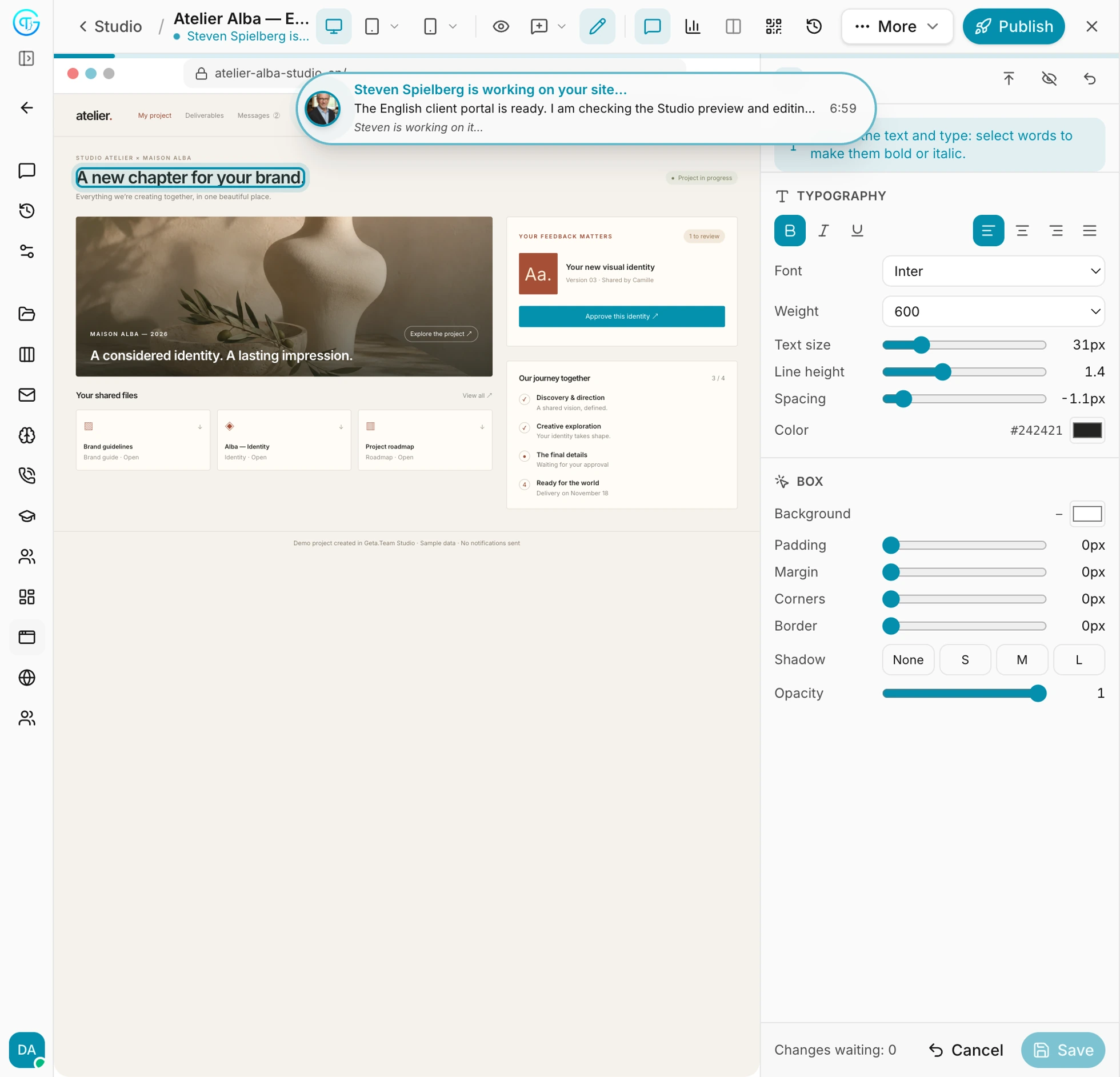
Edit by hand
Change a text, an image, a colour, a size or a spacing yourself, straight on the page, like a design tool. It goes into the draft, and your employee picks up from there.
Publish, with versions
One click puts the draft online. Every publish is a version you can go back to, so you can always return to how it was.
On any screen
See the draft as a computer, a tablet or a phone, and scan a QR code to open it on your own phone.
Checked before it ships
A security and quality pass runs before every publish, so what goes live is sound, not just good-looking.
If you can see it, you can change it.
Switch to Comment, click the exact button, title or image, and write what you want. No need to describe where it is: your employee gets the element and a picture of what you see, and changes it.
Like a design tool, on your real site.
Select any text or block and change the font, size, weight, spacing, colour, background, corners, border, shadow or opacity, right on the page. Your changes are written straight into the real files.
Real sites, built live.
Each of these was built in the Studio, with its own backend and database. Not pictures of apps: working demonstration projects.
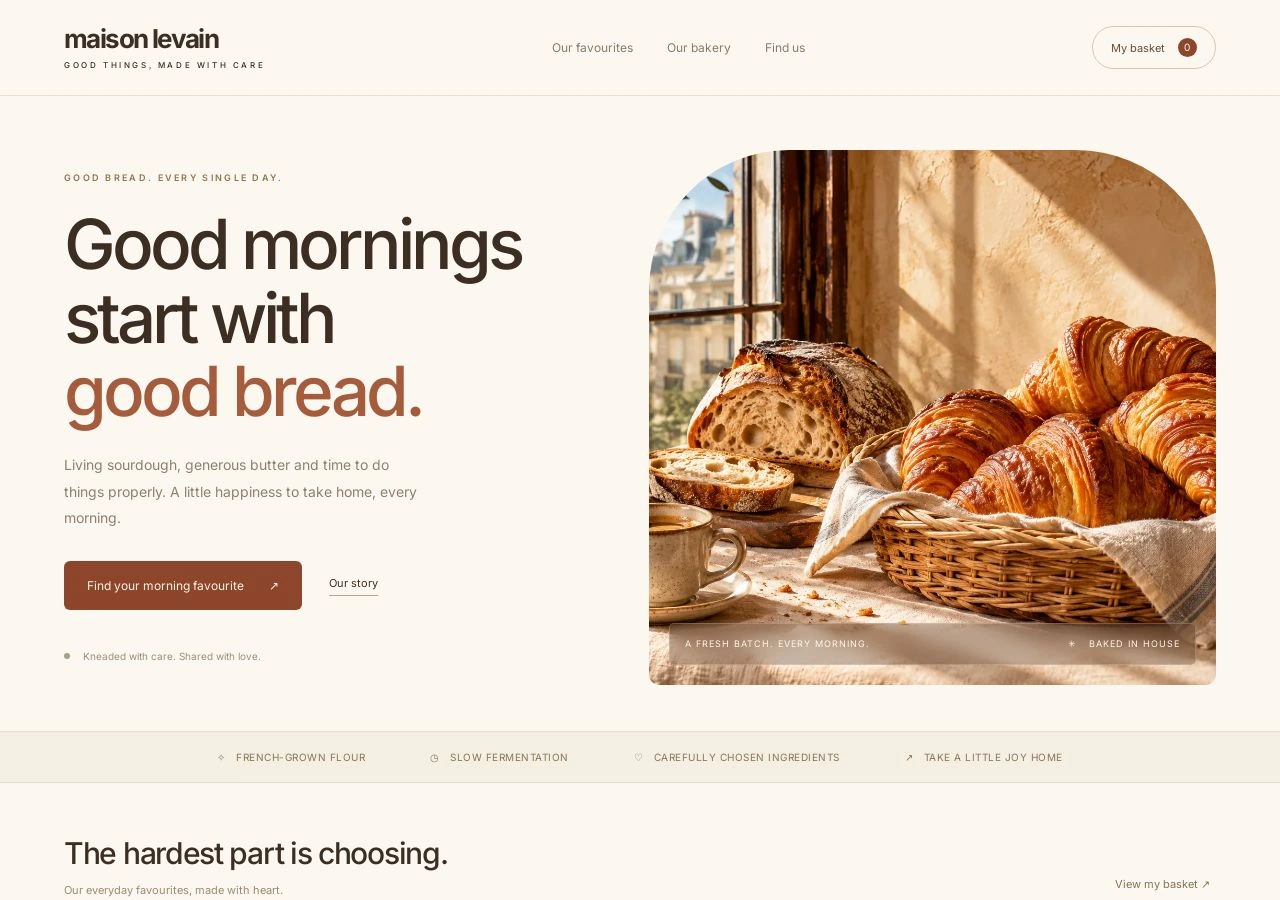
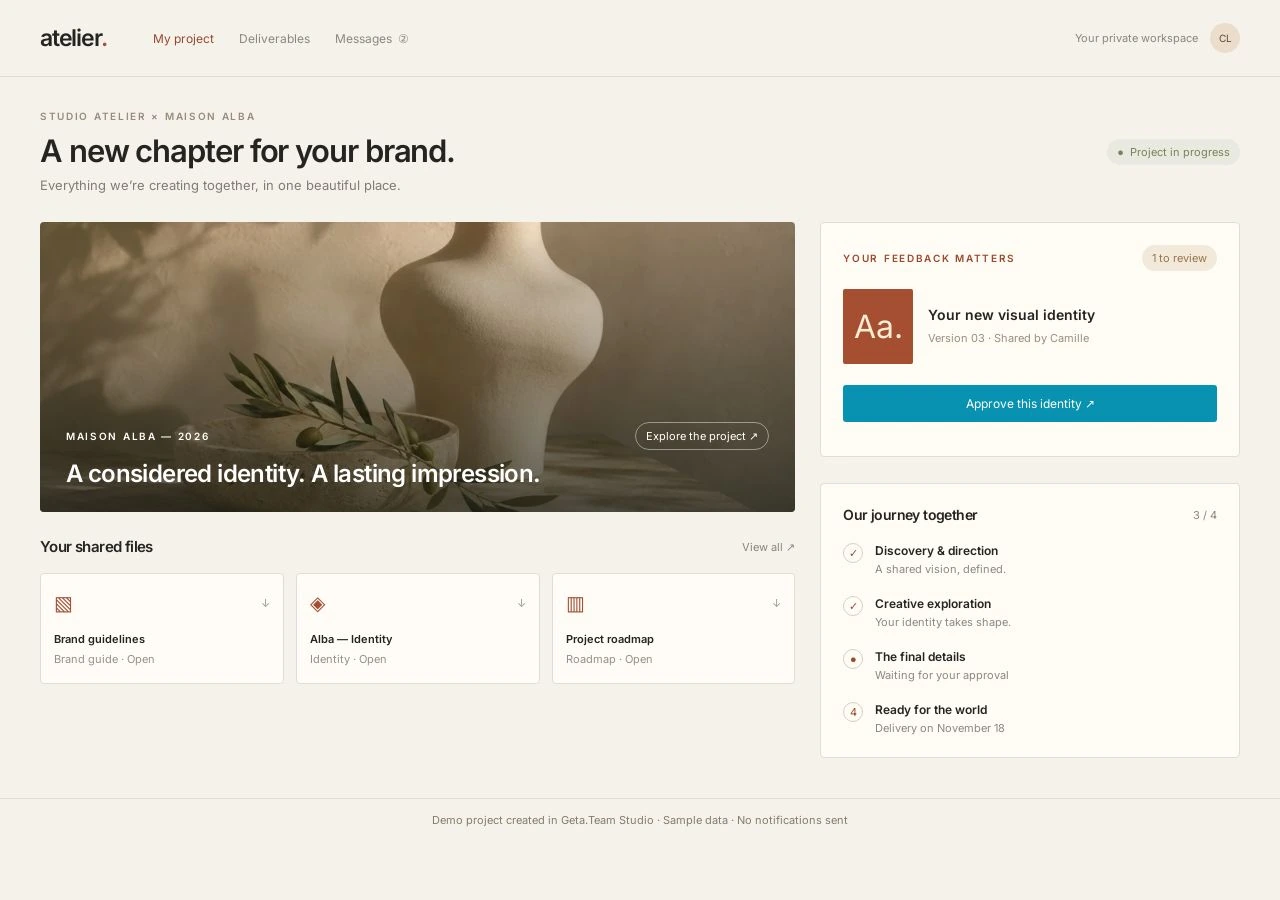
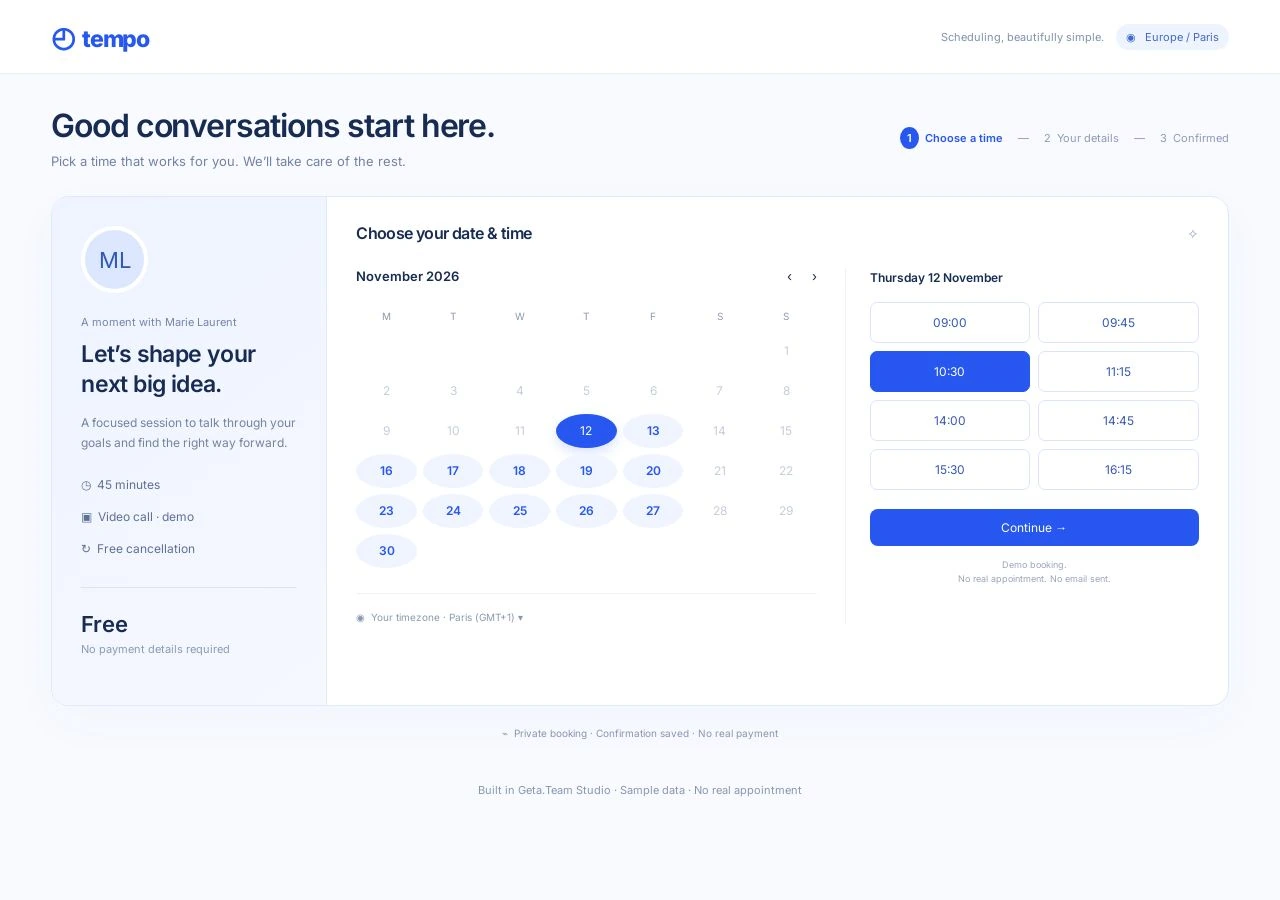
Demonstration projects built in the Studio, with sample data only.
Already have an app? Bring it.
Connect a repository on GitHub, GitLab, Bitbucket or any git server, private ones included, and keep building it in the Studio with your employee. Your hosting keeps deploying it as usual.
Your WordPress site, edited live.
Connect the WordPress site you already host with an application password. Nothing to install on the site, and you can revoke the access from WordPress at any time.
Your site, on your own domain.
Publish to your own address. Add one DNS record, your employee verifies it, and HTTPS is set up for you. One domain shows the project you choose.
Questions, answered.
Do I need to know how to code?
No. You describe what you want and click on the page to change it. Your employee writes and maintains the code.
What can I build?
A website, a landing page, a full web app with its own database, a dashboard, a form, an internal tool. The Studio is for anything you want to see, try and change together.
Can I go back if I don't like a change?
Yes. Every publish is kept as a version, and you can put an earlier one back live at any time. Your visitors' data is never touched.
Is the code mine?
Yes. Everything your employee builds belongs to you: the whole site, frontend and backend. There is no lock-in: you can take your code and run it anywhere.