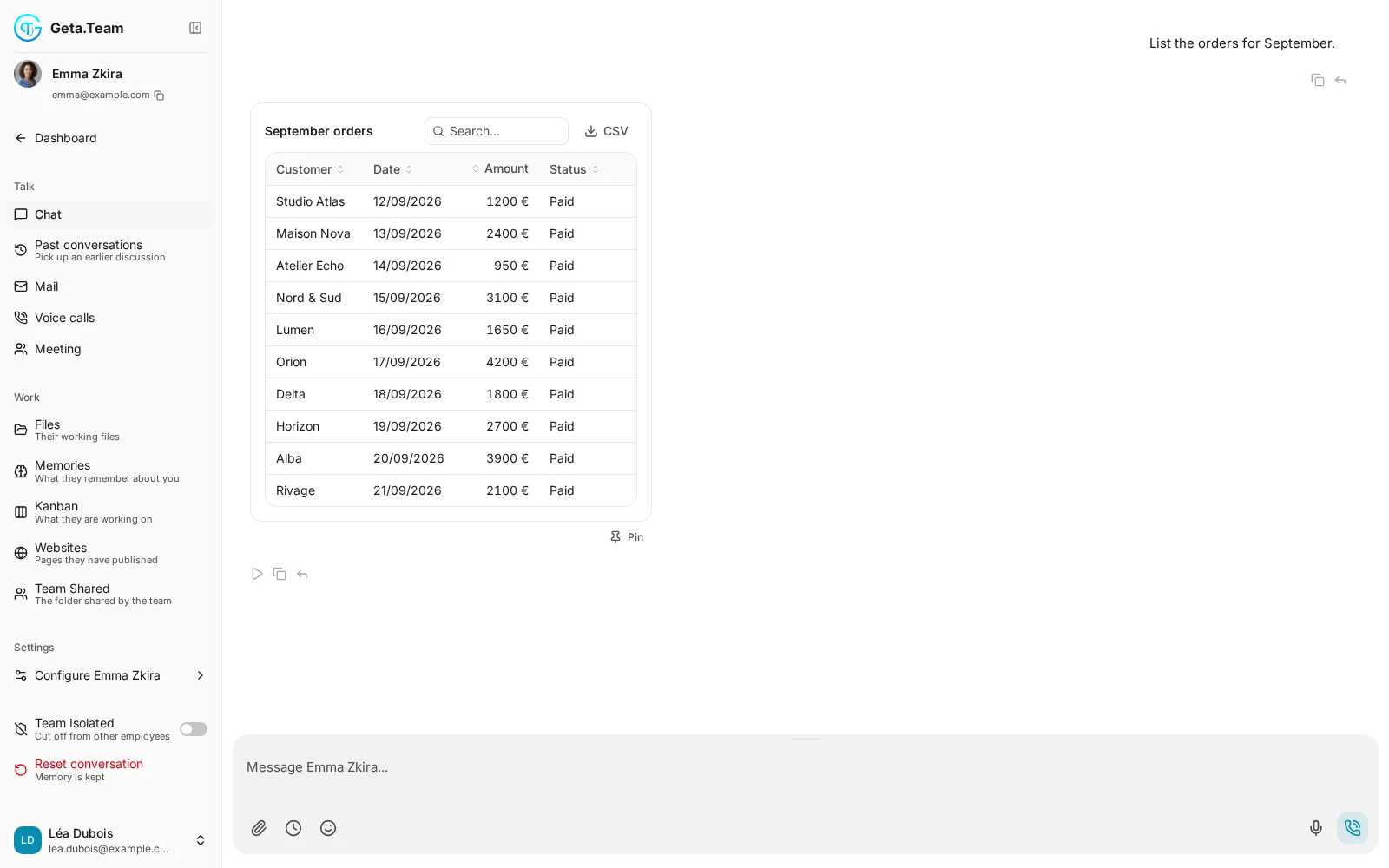
When a chart or a table is clearer than a paragraph, your AI employee builds one right in the chat: key figures, charts, sortable tables, forms, and buttons to choose what happens next. Pin it, and it keeps itself up to date.
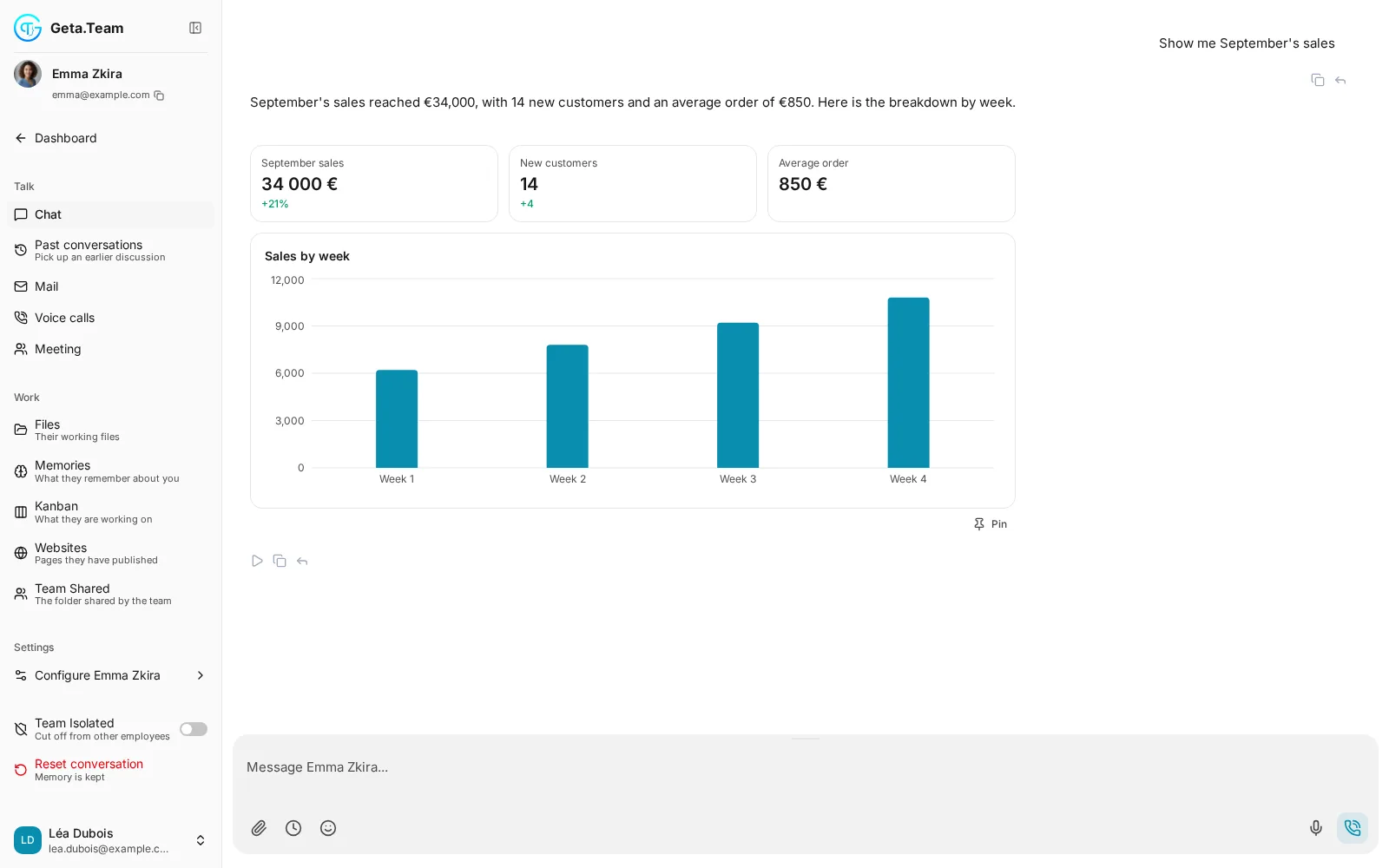
Ask most AI tools for your September sales and you get a paragraph of numbers to read through. When you are comparing numbers, approving a draft or planning a week, you need something to look at and click.
Gives you a wall of text.
Gives you the right format.
Bar, line, area and donut charts, key figures, sortable tables, forms, cards, buttons, progress bars, timelines, calendars, gauges, maps, galleries, a small kanban, before/after comparisons. Everything in the Geta.Team look, light and dark, desktop and mobile.
Ask for “the trend and two ideas to pick”: it answers with key figures, a line chart and two cards, each with a button.
Fill in a form, press Choose on a card or pick a row: the employee receives it as an ordinary message and continues from there.
The same interface can be pinned as a widget, sent as a clean image on WhatsApp, Telegram, Slack or email, or put on the big screen in a meeting.
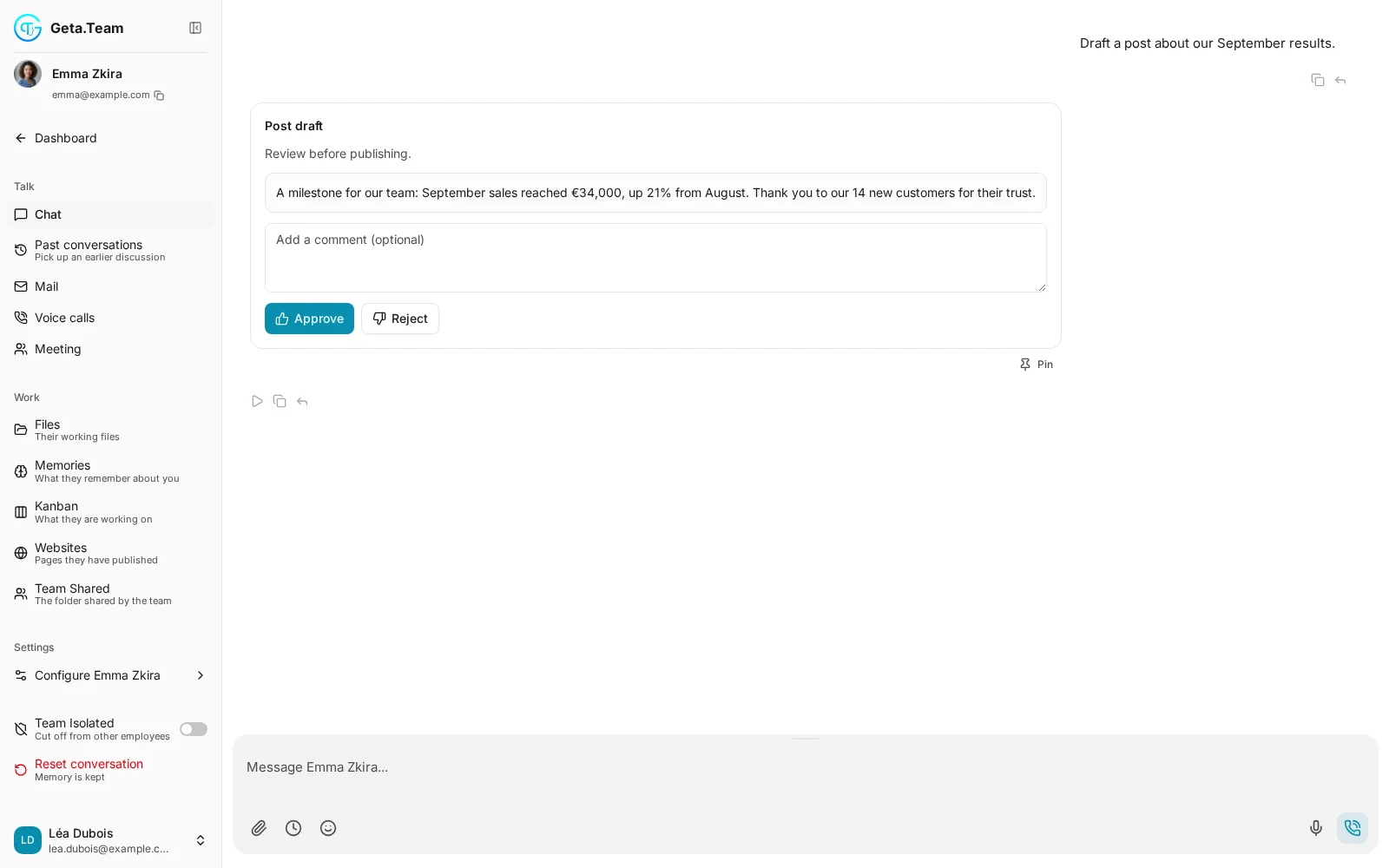
Before the employee sends a post, an email or a quote, it shows you the draft with Approve and Reject, and room for a comment. It acts on your decision.
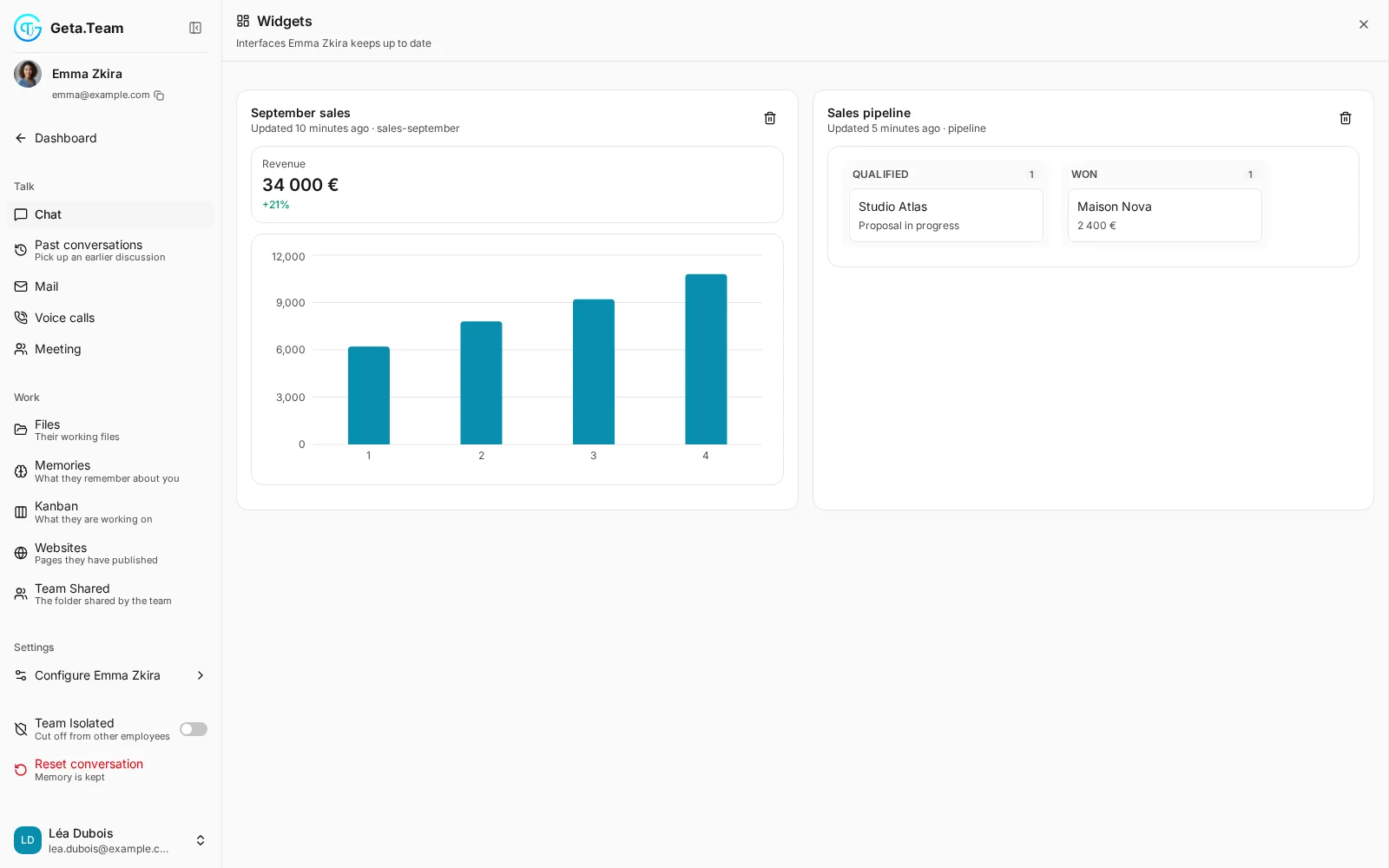
Press Pin under any interface and it moves to the Widgets panel in the chat sidebar. Ask for a pipeline summary every morning and it refreshes on schedule, live, without reloading the page.
A few patterns come up all the time.
Any interface can become a clean image sent on WhatsApp, Telegram, Slack or by email: the Monday chart reaches your phone without anyone opening a dashboard.
In a Geta.Team meeting, say “show us September's sales” and the employee presents the same chart to everyone, then talks it through.
Every choice you make in an interface reaches the employee as an ordinary message, in the conversation, with its history.
When the employee asks for approval, it waits for Approve, and acts on Reject or on your comment.
If an interface cannot be displayed, Ask to fix it and the employee sends a corrected version.
“Show me September's sales.”
Click a card, approve a draft, export a table.
It stays up to date in Widgets.
Ask your AI employee for the figures, and get a chart, a table and the buttons to decide.
