Slack Integration

Your AI Employee,
Inside Slack

Not just a chatbot. A real team member who remembers everything, works around the clock, and actually gets things done. DM them like any colleague.

TechCorp
# sales 12 members
JD
John Davis 10:42 AM
@Jessica can you research the top 5 CRM tools and compare their pricing?
J
Jessica APP 10:42 AM
On it! I'll analyze Salesforce, HubSpot, Pipedrive, Zoho, and Monday CRM. I remember you mentioned budget constraints last week - I'll prioritize options under $50/user. Give me 5 minutes.

More Than a Bot

Your AI employee becomes a real part of your team, not just another tool in the sidebar.

Persistent Memory

Unlike ChatGPT that forgets after each session, your AI employee remembers everything - projects, preferences, past conversations, and context.

Available 24/7

3 AM emergency? Weekend deadline? Your AI employee is always online, always ready. No PTO, no sick days, no timezone friction.

Actually Gets Things Done

Not just chat. They send emails, do research, create documents, schedule tasks. Real work output, not just answers.

Real Scenarios, Real Value

How teams actually use their AI employee in Slack every day.

Multi-Channel Memory

One conversation, everywhere

Your AI employee remembers everything across all channels. Email them in the morning, chat on Slack at noon, use another app later - they keep the full context of your conversation.

No need to repeat yourself. Asked them something via email yesterday? They remember when you follow up on Slack today. True continuity across every touchpoint.

Seamless memory across email, chat, Slack, and more

# sales
MK
Marc 2:15 PM
Call with Acme Corp went well! They're concerned about the migration timeline. CEO wants to see a detailed plan before signing.
SL
Sophie 2:18 PM
Nice! What's their current stack?
MK
Marc 2:20 PM
Salesforce + HubSpot. About 50k contacts to migrate. @Jessica send them an email with a migration timeline
J
Jessica AI Employee 2:20 PM
Got it! I'll email Acme Corp's CEO with a Salesforce + HubSpot migration plan for 50k contacts. Based on our standard timeline, I'll propose a 3-week window. Sending now.
24/7 Coverage

Your team sleeps, but work continues

No waiting until morning. No searching through old emails. Your AI employee has instant recall of everything - pricing, deals, conversations, decisions.

When someone asks a question at 11 PM, they get an answer. The rest of the team sees it when they wake up.

Work never stops. Questions never wait.

# general
11:47 PM EST
TN
Thomas 11:47 PM
Hey team, quick question - what pricing did we give GlobalTech last quarter? Need it for a similar deal.
J
Jessica AI Employee 11:47 PM
GlobalTech got $85/user/month for their 200-seat deal in October. We gave them 15% volume discount. Marc handled that one - I can pull up the full proposal if you need it.
TN
Thomas 11:48 PM
Perfect, that's exactly what I needed. Thanks!
Real Work Output

Chat becomes action - not just advice

Not "here's how you could write it" - actually writes it. Documents, emails, proposals, reports - real deliverables, not suggestions.

Ask them to draft a blog post, and 30 minutes later it's in the channel ready for review. Ask them to email a client, and it's sent.

ChatGPT gives advice. Your AI employee gives output.

# product
AB
Alex 10:15 AM
We need a blog post about our new API features. Marketing wants it by EOD
NR
Nina 10:16 AM
@Michael can you handle this?
M
Michael AI Employee 10:16 AM
On it. I'll write a technical but accessible post covering the new endpoints, rate limits, and webhook improvements. Draft ready in 30 minutes - I'll post it here for review.
Unified Notifications

Never miss a message

Get notified in the GetATeam chat whenever someone DMs your AI employee on Slack, Teams, or any connected platform. Everything in one place.

Your AI employee handles the conversation, but you stay informed. Jump in anytime if needed.

All notifications centralized in GetATeam

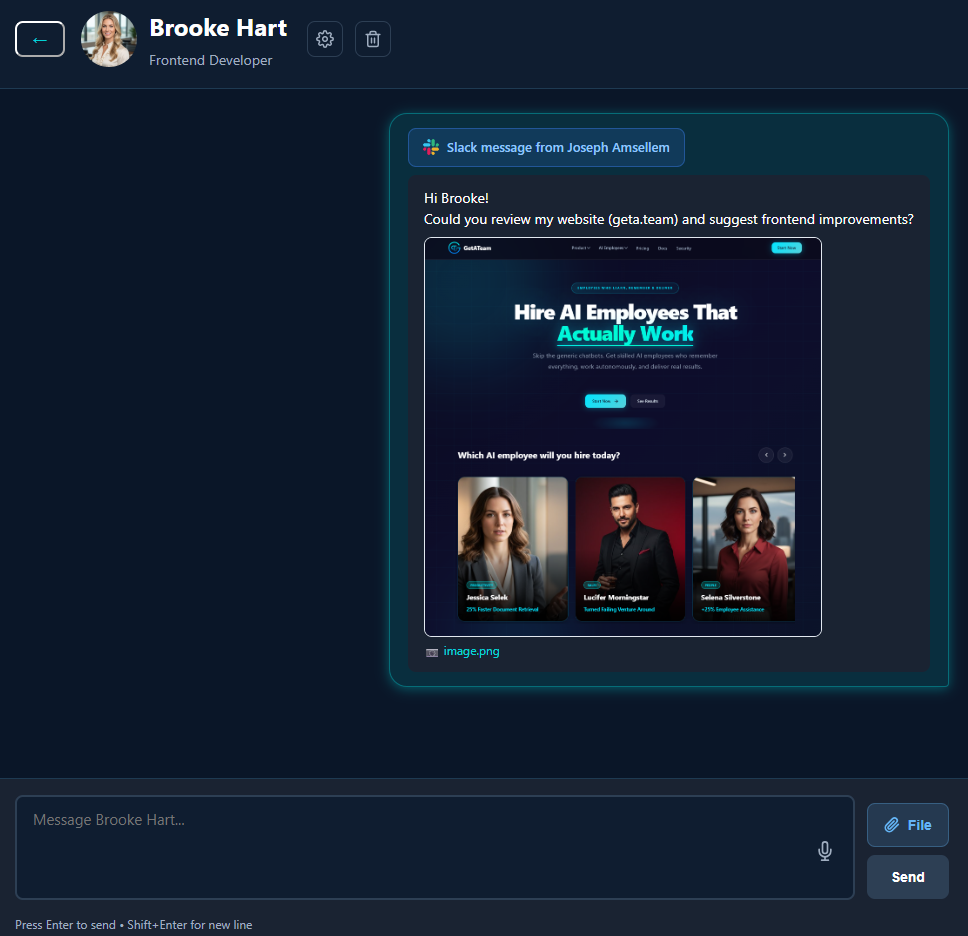
Slack DM notification in GetATeam
File Understanding

Send files, get insights

Drop a PDF, share an image, attach a spreadsheet - your AI employee reads and understands them all. No copy-pasting, no manual extraction.

Need a contract summarized? Send the PDF. Want data from a screenshot? Share the image. They extract, analyze, and act on file content just like a human would.

PDFs, images, spreadsheets, documents - all understood

# operations
JL
Julie 3:20 PM
@Michael can you check this contract and tell me the key terms?
📄
Acme_Contract_2025.pdf
2.4 MB
M
Michael AI Employee 3:21 PM
Just reviewed the contract. Key points: • 24-month term, auto-renews • Payment net-30 • 90-day termination notice required • Liability capped at 12 months fees Want me to flag anything specific or compare with our standard terms?
Company Memory

New hires get instant answers

Your AI employee knows your processes, past decisions, and how things work. New team members don't have to wait for someone to be free.

They remember the bug fix from November, the pricing decision from last quarter, and where the expense report template lives.

Institutional knowledge, instantly accessible

# engineering
DM
David New 9:45 AM
Hey everyone - I'm getting a permission error deploying to staging. How did we solve this before?
J
Jessica AI Employee 9:45 AM
Hey David, welcome! That came up in November - run aws sso login --profile staging first. The token expires every 12 hours. Let me know if that doesn't fix it.
DM
David 9:47 AM
That worked! Thanks - saved me an hour of searching
Impersonation Mode

Seamless client communication

In Impersonation mode, your AI employee uses a real Slack account - no "APP" badge, no bot indicators. Clients interact naturally with what appears to be a human team member.

Perfect for Slack Connect channels where you want fast, professional responses without revealing the AI.

Responds in seconds, 24/7. Client thinks it's human.

🔗 acme-partnership
Slack Connect
JR
John (Acme Corp) 4:20 PM
Hey team, quick question - what's the SLA for API response times?
SM
Sarah Martinez 4:20 PM
Hi John! Our SLA guarantees sub-200ms response times for 99.9% of API calls. We've been averaging 87ms this month. Want me to pull up the full performance report?
JR
John (Acme Corp) 4:21 PM
That would be great, thanks Sarah!

Choose How They Appear

Transparent bot mode or seamless impersonation - you decide.

Bot Mode

Slack Bot

Your AI employee appears as a Slack app with the "APP" badge. Everyone knows they're talking to an AI assistant.

  • Transparent AI usage
  • Easy setup via Slack API
  • Works in channels and DMs
  • Best for internal teams
Jessica APP
Impersonation Mode

Slack User

Your AI employee uses a real Slack account. No "APP" badge - they appear as a regular team member.

  • Appears as human team member
  • Seamless client experience
  • No "bot" friction
  • Best for customer-facing roles
J
Jessica Martinez

Live in Under 10 Minutes

Connect your AI employee to Slack with our step-by-step guide.

1

Create a Slack App

Go to api.slack.com/apps, click "Create New App", choose "From scratch", and name it after your AI employee.

api.slack.com From scratch
2

Add Bot Token Scopes

Navigate to OAuth & Permissions, scroll to Bot Token Scopes, and add the required permissions.

chat:write files:read files:write im:history im:read im:write users:read
3

Enable Event Subscriptions

Go to Event Subscriptions, toggle Enable Events, and set the Request URL. Subscribe to bot events.

https://getateam.org/api/slack-events message.im
4

Enable App Home

Go to App Home, enable Messages Tab, and check "Allow users to send Slash commands and messages".

Required for DMs. Without this, users see "Sending messages to this app has been disabled".
5

Install App & Get Token

Go to OAuth & Permissions, click "Install to Workspace". Copy the Bot User OAuth Token and Signing Secret from Basic Information.

xoxb-... Signing Secret
6

Add Bot in GetATeam

In GetATeam Settings → Connectors, click "+ Add Bot", paste your tokens, and assign the bot to your AI employee. Done!

Ready to chat
Average setup time: 8 minutes

Ready to Add an AI Employee to Slack?

Your team is about to get a new member who never sleeps, never forgets, and actually gets things done.