
Geta.Team Geta.Team
Custom LLM Providers

Bring Your Own AI Model

Not locked into one provider. Use Claude, Gemini, or run Ollama on-premise. Connect any OpenAI-compatible endpoint. Your models, your rules.

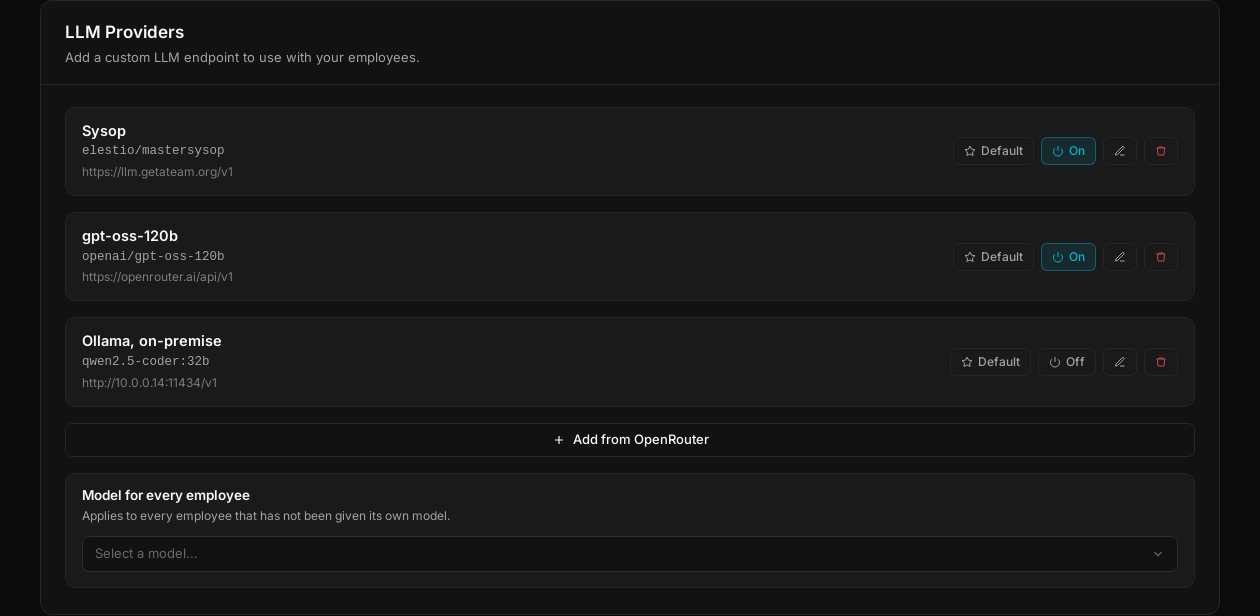
LLM Providers panel listing three custom providers, with the button to add a model from OpenRouter
How It Works

Two ways in, one list

Add a model by hand or take one from the catalogue. They end up in the same place.

1

See every model you run

The LLM Providers panel lists every endpoint you have connected, with its model name and its address. Each one can be switched on or off, and one of them is the default.

LLM Providers panel listing three custom providers
2

Add a model by hand

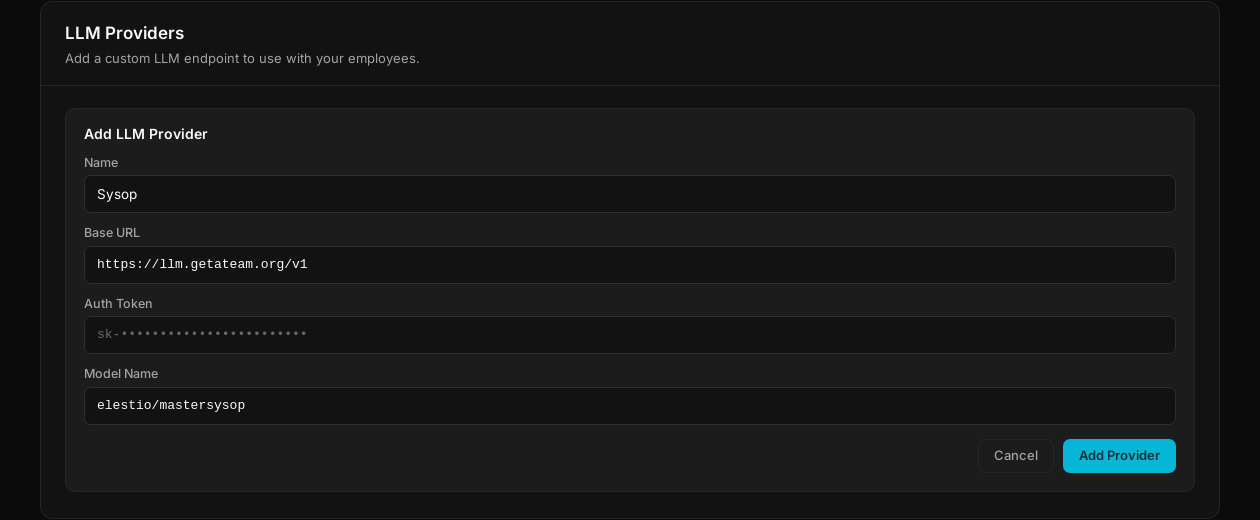
Four fields and it is connected: a name, the base URL of any OpenAI-compatible endpoint, an auth token and the model name. Ollama on your own hardware works the same way. Tokens are encrypted at rest.

Add LLM Provider form with name, base URL, auth token and model name
3

Or take one from OpenRouter

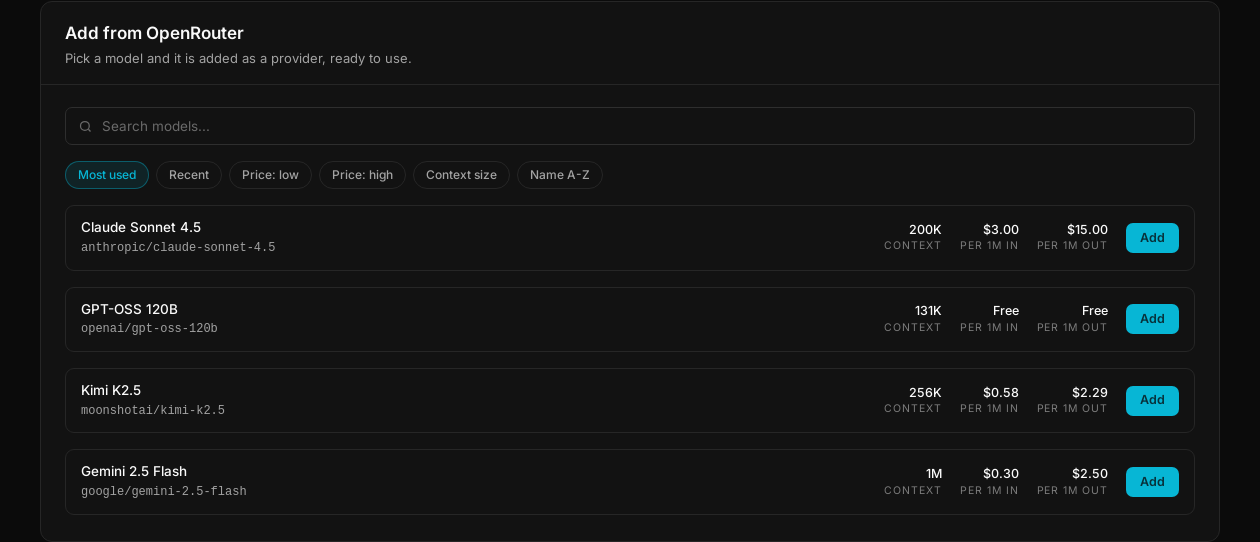
One button opens the OpenRouter catalogue: search, sort by price or context size, and see what a million tokens costs before you commit. Pick a model and it is added as a provider.

OpenRouter catalogue with search, sorting and the price per million tokens for each model
Per employee

Each employee runs on its own model

A provider belongs to the workspace. The choice is made employee by employee.

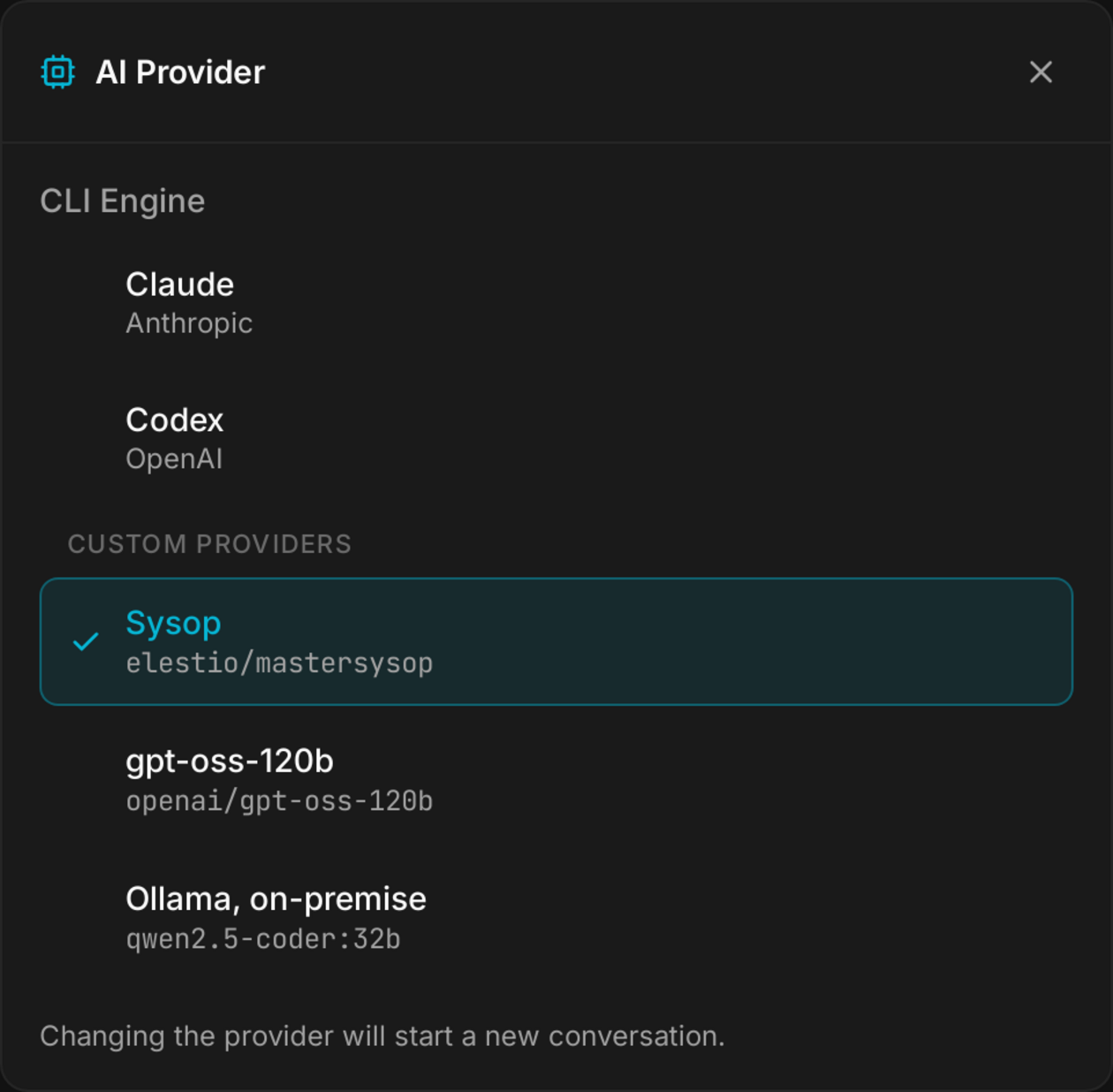
Configure employee, then Intelligence

Your custom providers appear under their own heading, below the built-in engines. Pick one, and it applies to that employee alone. The others keep whatever they were running.

  • Supportanswers all day in short bursts, so it runs a fast, cheap model. Nobody can tell on a two-line reply.
  • Financereads invoices and payroll, so it runs Ollama on your own hardware. The numbers never leave the building.
  • Saleswrites the proposals that close deals, and gets the strongest model you have. It is the only one that does.

Switching an employee to another provider starts a new conversation. It never carries context from one model into another.

The
Features

Complete Model Freedom

Full flexibility, zero lock-in.

Providers

Any OpenAI-Compatible

Works with Ollama, LM Studio, vLLM, Together AI, and any OpenAI API format. Perfect for on-premise deployments where data stays on your infrastructure.

AES 256-bit

Encrypted Credentials

API keys stored with encryption. Only admins can manage providers. Your credentials are safe.

1:1 Mapping

Per-Employee Config

Assign different models to different employees. GPT for writing, Claude for analysis.

0 Lock-in

Zero Vendor Lock-in

Switch providers anytime. No data loss, no migration. Conversations persist across changes.

Use Cases

Why Bring Your Own Model

Real reasons to use custom LLM providers.

90% Savings

Cost Optimization

Use affordable models for simple tasks, premium ones for complex reasoning. Some providers cost a fraction of others. Route intelligently to optimize costs.

100% Private

Data Sovereignty

Connect to self-hosted models. Your data never leaves your infrastructure. Perfect for regulated industries.

A/B Testing

Model Comparison

Test different models on the same tasks to find the best fit. Switch mid-conversation. No commitment.

Fine Tuned

Specialized Models

Use domain-specific fine-tuned models. Medical, legal, financial - plug in the right model for the job.

Ready to bring your own AI?

Use any model, any provider, any endpoint. Zero vendor lock-in.